Animating on twos: ones, twos and threes
Updated
Animating on twos means each drawing stays on screen for two frames. At 24 frames per second, that's 12 new drawings a second instead of 24. It's the everyday rhythm of hand-drawn 2D animation: it halves the drawing, and done well it doesn't look cheap. It looks like a cartoon.
This guide covers what ones, twos and threes are, what each one feels like, how a 12 fps project compares with twos at 24 fps, and how to set up either one in Animperia.
What ones, twos and threes mean
A video plays a fixed number of frames per second (fps). A drawing, or a pose of a character, can stay on screen for one frame or for several. Animators count how long each drawing is held:
- On ones: a new drawing on every frame. At 24 fps, 24 drawings a second.
- On twos: each drawing held for two frames. At 24 fps, 12 drawings a second.
- On threes: each drawing held for three frames. At 24 fps, 8 drawings a second.
The frame rate of the video doesn't change. Only how often the picture changes does.
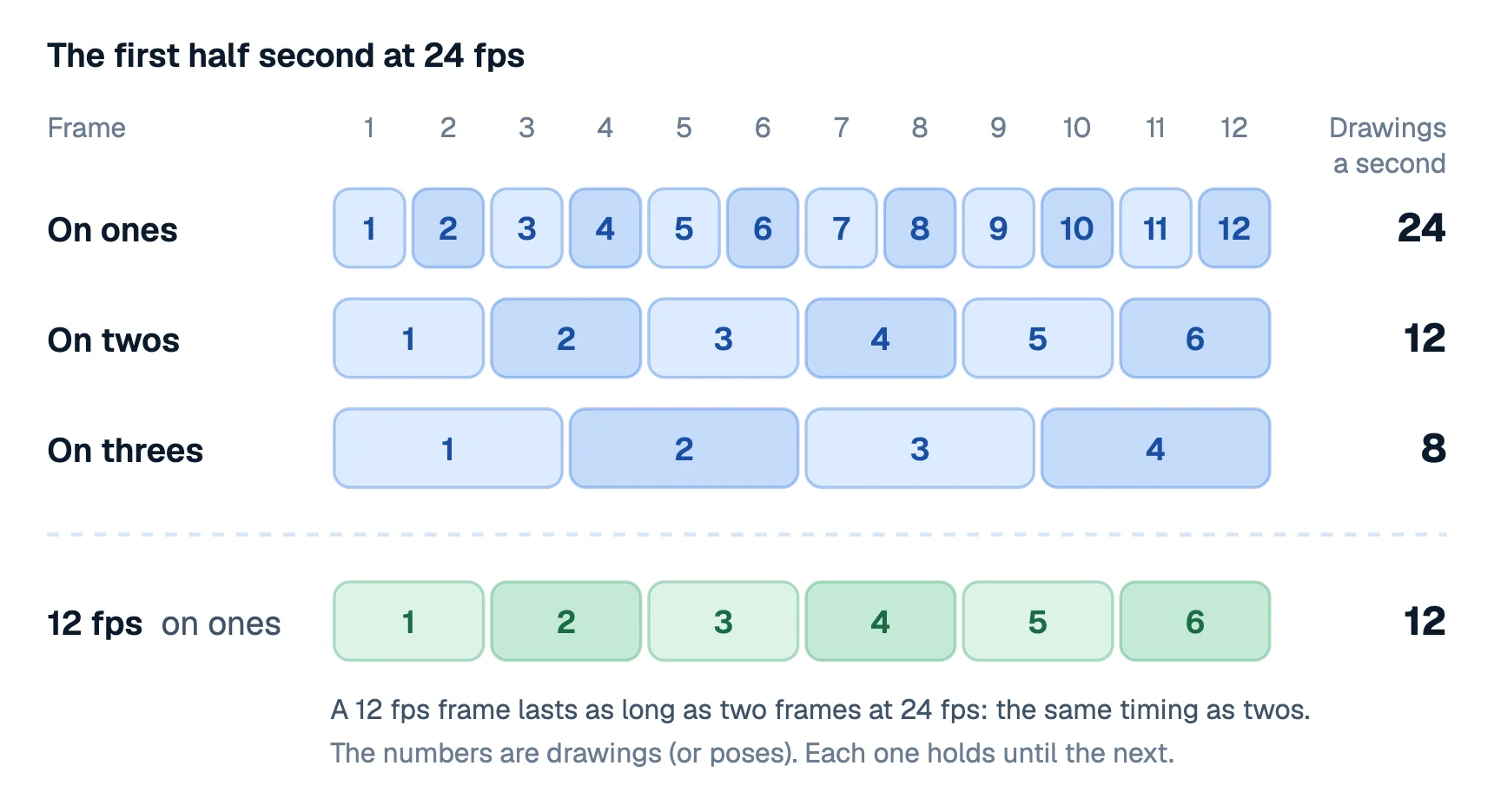
| On | Drawings a second at 24 fps | Feels |
|---|---|---|
| Ones | 24 | Smooth, fluid |
| Twos | 12 | Lively: the cartoon look |
| Threes | 8 | Snappy, a bit choppy |
At 30 fps the same idea gives 30, 15 and 10 drawings a second, and at 25 fps, 25, 12.5 and about 8.
Is animating on twos the same as 12 fps?
On screen, almost. A video at 12 fps and a video at 24 fps on twos both show 12 new pictures a second, so a character drawn on twos looks the same in either.
The difference is what else you can do. At 24 fps you can switch to ones whenever a moment needs it: a fast punch, a whip pan, a smooth camera move or a motion tween. At 12 fps nothing can change more than 12 times a second, so everything in the film steps together. Some people love that uniform, handmade feel, and some find camera moves too jerky at 12.
You can upload either one. YouTube's encoding guide names 24, 25, 30, 48, 50 and 60 fps as common frame rates and says other rates are fine too (YouTube Help, checked 11 October 2026).
When to use ones, twos or threes
Twos are the sensible default for character animation: acting, gestures, talking, walks. You draw half as much, and every drawing has to count.
Ones are for moments where twos break down:
- Fast action. When something crosses a big distance in a few frames, twos can strobe: the eye sees separate copies instead of motion. Add the in-betweens there.
- Camera moves and scrolling backgrounds. A pan on twos judders, so keep the camera on ones even when the characters are on twos.
- Things that slide smoothly, like a car, a cloud or a title, where the smoothness is the point.
Threes and longer holds suit limited animation, stylized work and slow moves where nothing needs to be fluid. A blink or a held pose can sit for many frames without anyone noticing.
You don't have to pick one for a whole film. Switch to ones for a fast move and back to twos straight after. If a fast object seems to skip, that's the place for more drawings.
How to animate on twos in Animperia
Pick the frame rate when you make the project
When you start a project, Animperia asks for its canvas and its Frame rate: 12, 24, 25 or 30 fps. The frame rate stays as you pick it, so decide before you start.
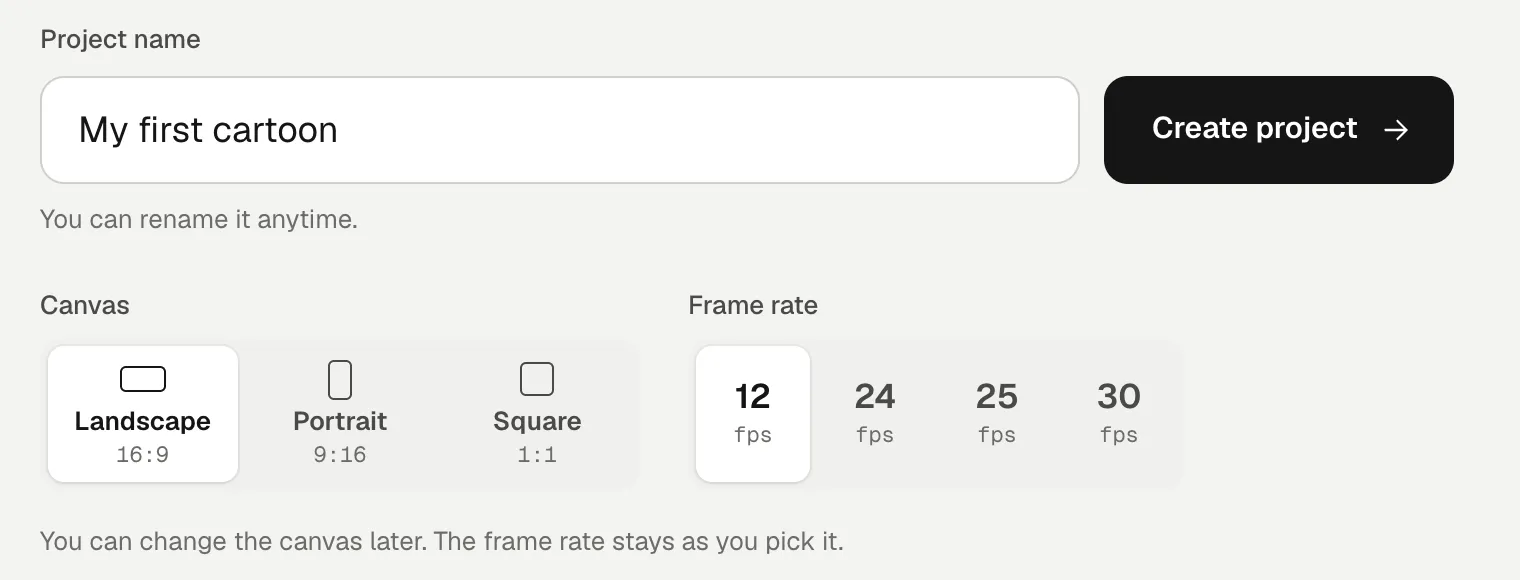
- 12 fps gives you the look of twos everywhere at once. Each frame is a new pose, and posed animations, motion tweens and camera moves all change 12 times a second.
- 24 fps lets you mix: drawings on twos, and smooth tweens and camera moves on ones. Pick this one if you're not sure.
Draw on twos at 24 fps
Frame-by-frame drawing happens on drawing layers in a character's or an object's animations. Each keyframe holds one drawing until the next keyframe, so animating on twos means putting a keyframe on every other frame:
- Open the object in the drawing editor (Edit object in its drawer), then Add under Animations and Hands-on to start an empty animation.
- Draw on frame 1 of the drawing layer.
- Click frame 3 on that layer's row and press F6: a new keyframe with a copy of the drawing, ready to change. Frames 1 and 2 keep the first drawing.
- Change the copy, then click frame 5, press F6 again, and so on.
F7 starts a blank keyframe instead of a copy. Turn on the Onion skin to see the drawings before (blue) and after (green) the playhead.
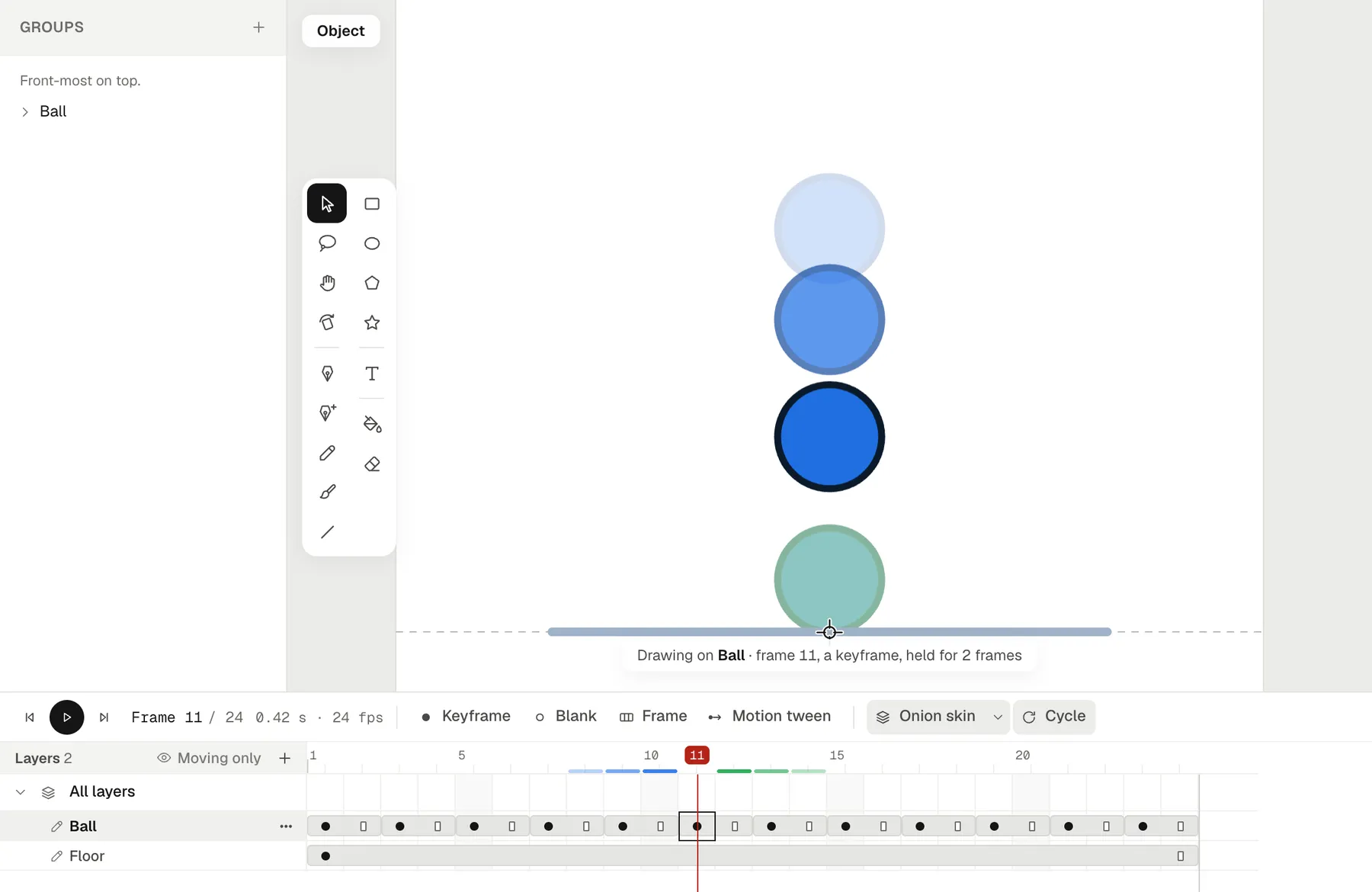
Drew it on ones and want twos? Put the playhead on a drawing and press F5: it holds that drawing a frame longer and moves the later ones along. Shift+F5 makes it a frame shorter again.
Pose on twos in a scene
The scene's timeline works the same way. A keyframe shows what it holds until the next keyframe, so a keyframe every two frames (F6, then move the character or object) without a motion tween gives you poses on twos. F5 adds frames to hold a pose longer.
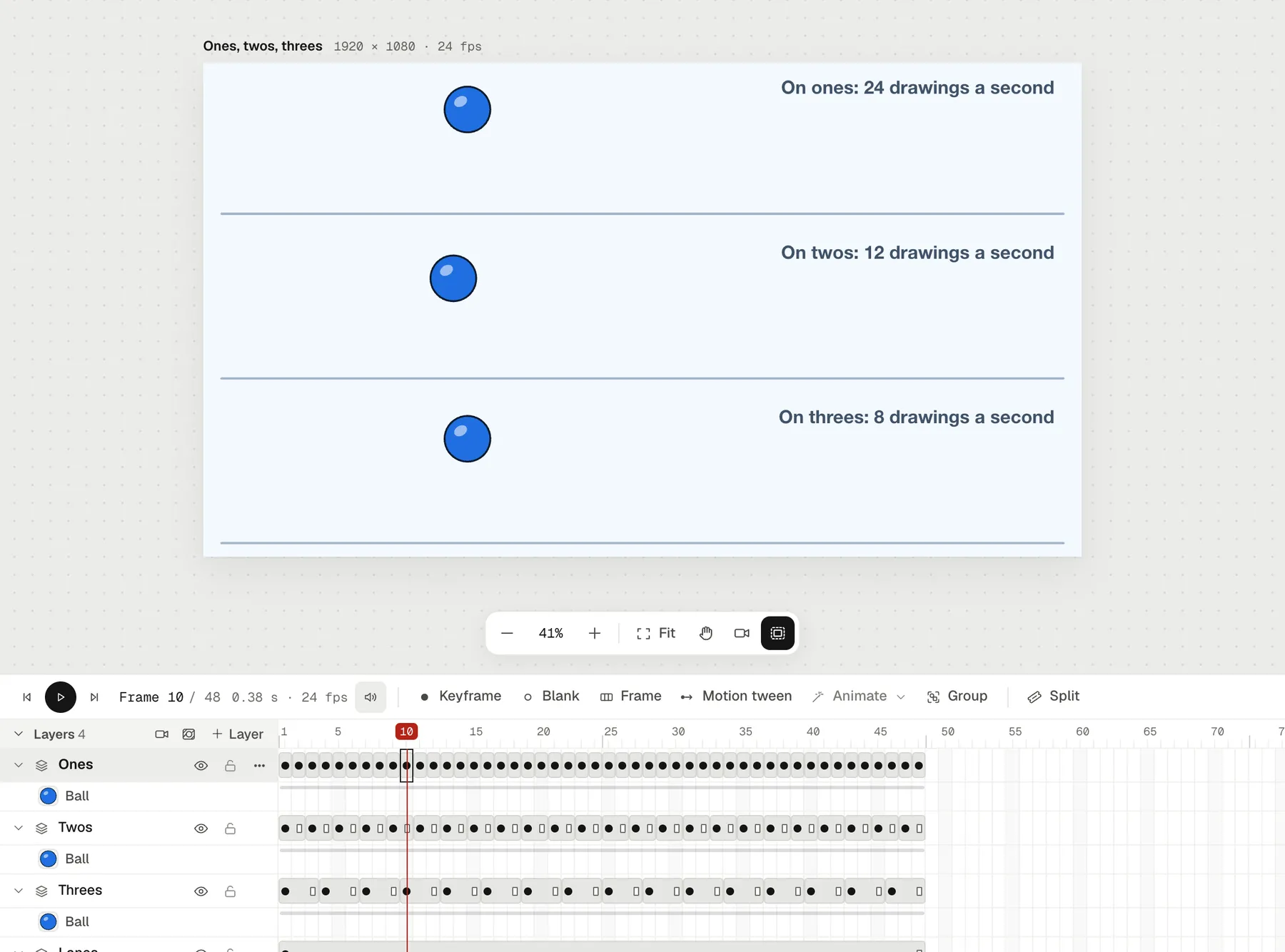
What stays on ones
Motion tweens and posed animations work out a pose for every frame of the project, so at 24 fps they move on ones. That's usually what you want for a smooth slide or a camera move. If you want them stepped as well, use a 12 fps project.
Export
Exports play at the project's frame rate. A GIF can also play at half of it, as Animperia's export dialog offers: a 24 fps scene comes out as a 12 fps GIF that keeps every other frame, which looks like twos and makes a smaller file.
Questions about animating on twos
Does animating on twos look worse than ones?
Not for most drawn animation. Twos give motion a crisp, readable rhythm, and many viewers find drawn animation on ones floaty. Problems show up only in fast moves and camera pans, which is when you use ones.
Should a beginner animate on ones or twos?
Start on twos. You draw half as many frames, and you learn to choose strong drawings instead of adding many small ones. Add ones where something strobes.
What frame rate should I use for an animation on YouTube?
24 fps is the usual choice for animation, and 12 fps works if you want everything on twos. YouTube accepts both: it asks you to upload at the frame rate you made the video at (YouTube Help).
Can I change a project's frame rate later in Animperia?
No. A project keeps the frame rate it was made with, while its canvas shape can change later. Pick 24 fps when in doubt: it can do twos and ones.
What's an exposure sheet?
It's the chart animators use to plan which drawing shows on which frame, one row per frame. The chart on this page is a simple one: it shows each drawing's number and how many frames it's exposed for.