What is tweening? Motion and shape tweens
Updated
Tweening is making the frames between two keyframes. You set where something starts and where it ends, and the in-between frames, the "tweens", carry it from one to the other. In hand-drawn animation an assistant draws them. In animation software the computer works them out.
This guide explains keyframes, in-betweens and easing, the two kinds of tween you'll meet (motion and shape), and how to make both in Animperia, with examples you can copy.
Keyframes and in-betweens
A keyframe is a frame where you decide exactly how things look: the ball on the left, then the ball on the right twelve frames later. The in-betweens are every frame between them.
When you draw by hand, you draw the in-betweens yourself. When software tweens, it calculates them: for each frame it works out the position, size, rotation, color or shape that lies part of the way between the two keyframes.
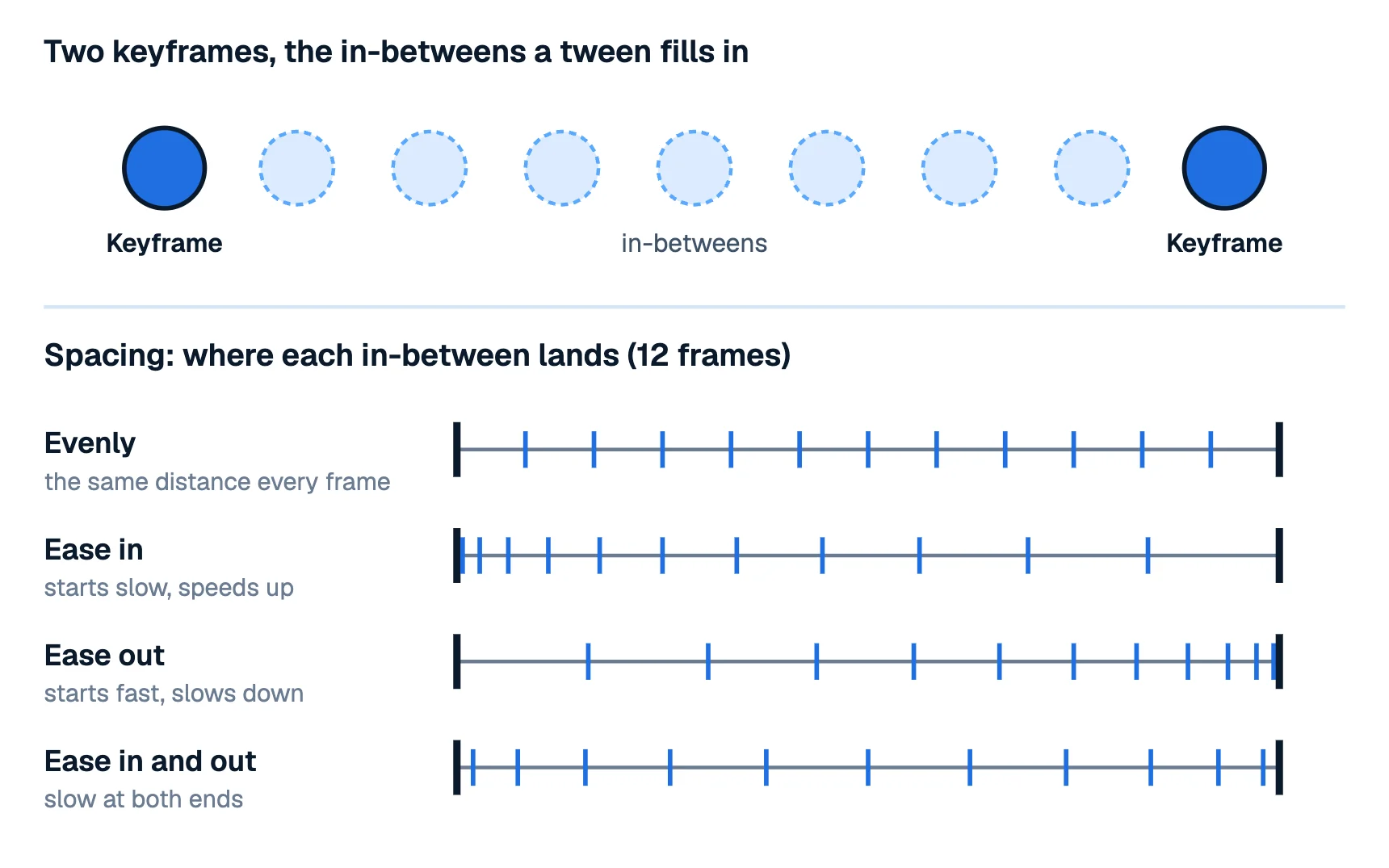
So the animator still makes the important decisions, the keys and the timing, and the tween does the repetitive part. That's why it's the backbone of cut-out and motion graphics animation, while frame-by-frame drawing gives you full control of every frame.
Easing: how the in-betweens are spaced
A tween can spread its in-betweens evenly, or bunch them up at the start or at the end. That spacing is easing:
- Evenly (linear): the same distance every frame. Mechanical, which suits a conveyor belt, a scrolling title or a walk moving across the screen.
- Ease in: starts slow and speeds up, like something falling or a car pulling away.
- Ease out: starts fast and slows down, like a ball rolling to a stop or a door swinging shut.
- Ease in and out: slow at both ends, fast in the middle. Most natural moves look like this: a head turn, an arm lifting, a camera move.
Animators call ease in and ease out "slow in and slow out", and it's one of the 12 principles of animation. Watch out for the naming. In traditional animation, "slow in" means slowing down as you arrive at a key, while in most software "ease in" means starting slowly. Animperia's menu says what each one does: Ease in (speeds up) and Ease out (slows down).
Motion tweens and shape tweens
There are two kinds of tween, and they change different things.
| Motion tween | Shape tween | |
|---|---|---|
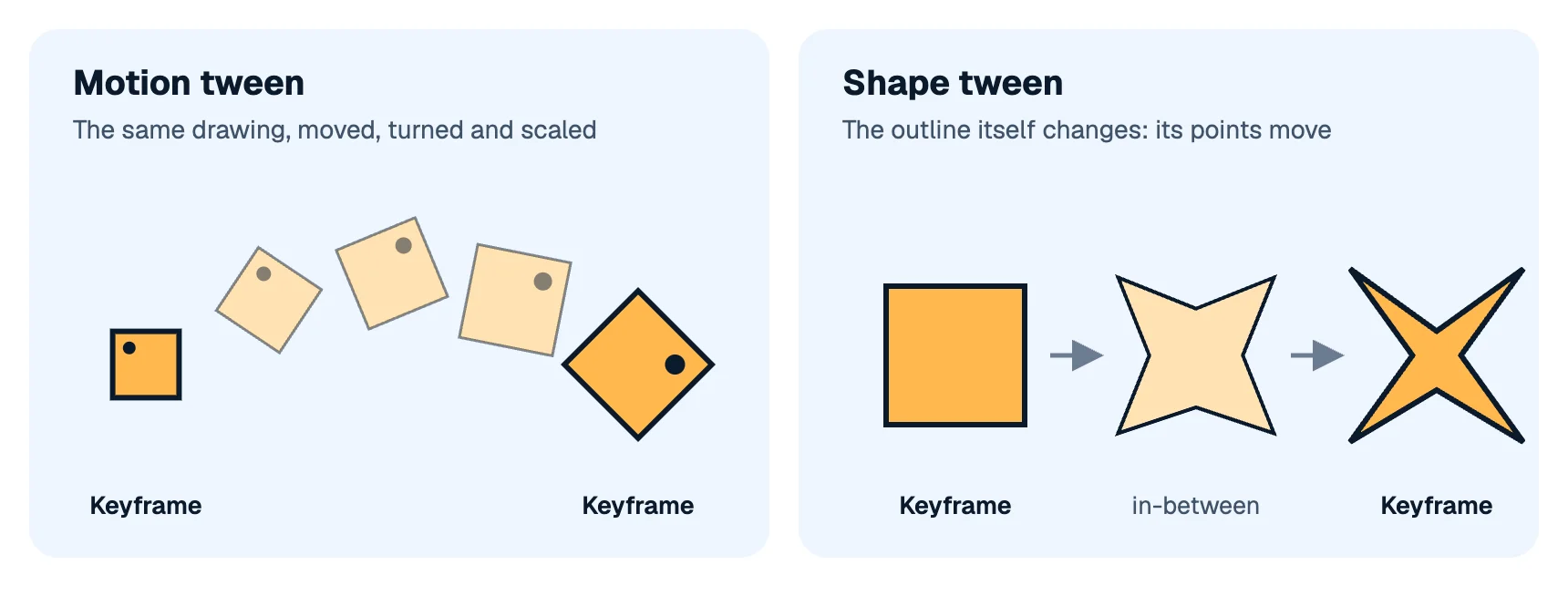
| What changes | Where the drawing is and how it's transformed | The outline of the drawing |
| Typical properties | Position, size, rotation, opacity, color | The points and curves of a shape |
| Good for | Moving characters, props, a camera, titles, fades | Morphs, a mouth or brow changing shape, liquid, smoke |
| The drawing itself | Stays the same | Changes from frame to frame |
A motion tween keeps the drawing as it is and moves it: slides it, turns it, scales it, fades it. A character can move with a motion tween while its own animation plays.
A shape tween (also called a morph) changes the drawing itself: the points of its outline move from one keyframe's shape to the next. It works best when the two shapes have the same points in the same order. Otherwise the in-betweens can twist.
Flash and Adobe Animate users also know classic tweens, the older kind of motion tween from the Flash days, which Animate still keeps beside its newer motion tweens (Adobe Help). The idea is the same: a drawing moved between two keyframes.
How to make a motion tween in Animperia
Motion tweens live on a scene's timeline:
- Put a character or an object on the stage, on frame 1.
- Go to a later frame, say frame 24, and press F6 to add a keyframe.
- On frame 24, move it, turn it, resize it or change its opacity, brightness or tint.
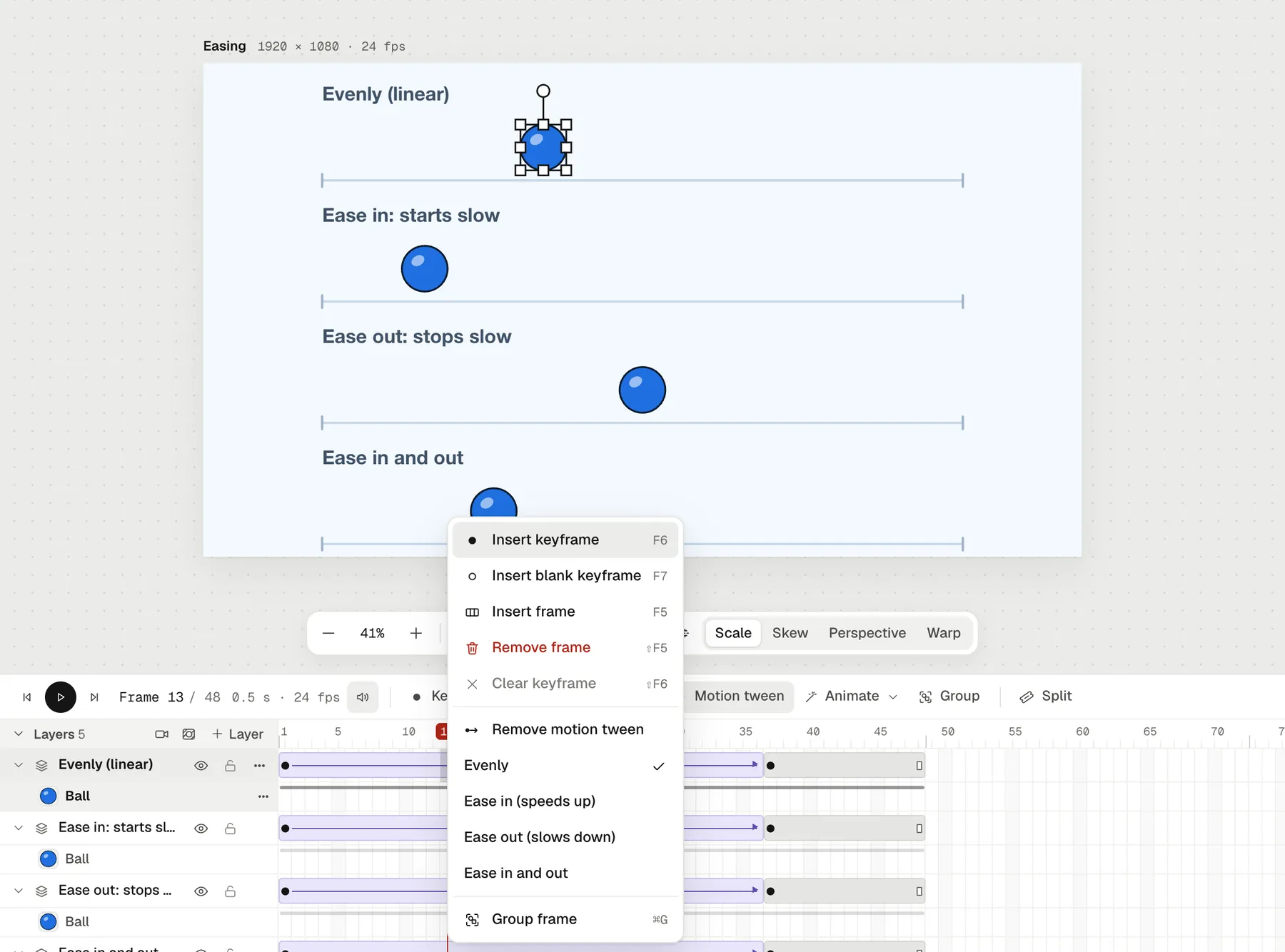
- Press Motion tween. The frames between the two keyframes now move from one to the other.
Right-click the tween to choose its easing: Evenly, Ease in (speeds up), Ease out (slows down) or Ease in and out.
A few things to know:
- What it tweens: position, size (stretched one way or both), rotation, skew, perspective and warp, opacity, brightness and tint, and a character's pose.
- One thing per keyframe. A tween needs one object in each of its two keyframes. If a layer holds several, Split into layers puts each on a layer of its own.
- Add a keyframe in the middle of a tween to change its path there. The two halves keep moving as the whole did.
- The camera tweens too. Add a camera layer, zoom or pan on a later keyframe, and tween it for a smooth push-in.
- Paths are straight. A tween moves in a straight line between two keyframes. For a curved path, add keyframes along the curve.
How to make a shape tween in Animperia
Shape tweens happen inside a character's animations, in the drawing editor:
- Open the character's drawing editor, and open or add an animation (Add, then Hands-on for an empty one).
- Go to the frame where the shape should be different.
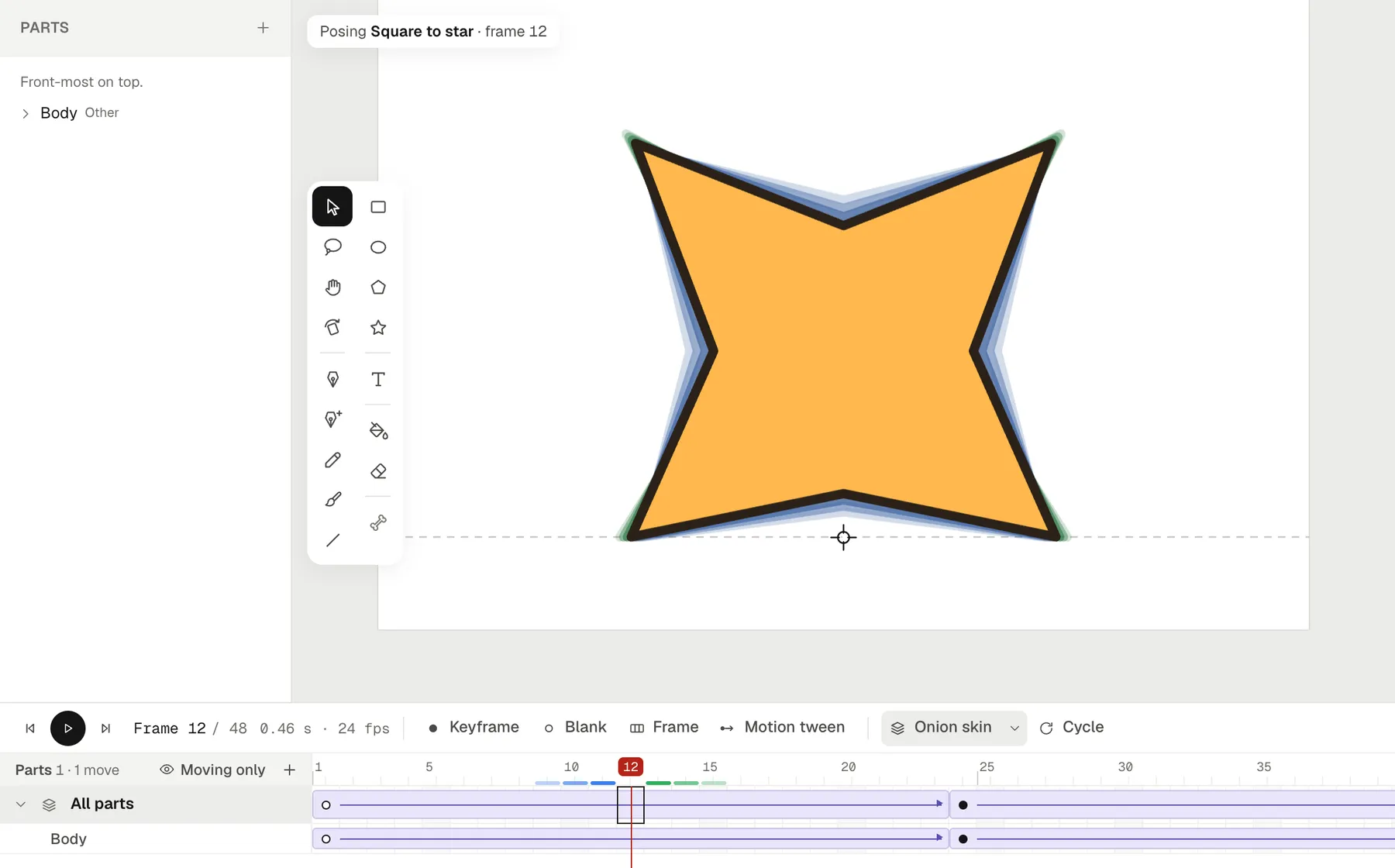
- Double-click the shape to edit its points, then drag the points, handles or segments into the new shape.
- The frames in between morph from one shape to the other. The drawing itself doesn't change, only this animation.
Typical uses are an eyebrow going from happy to angry, a mouth stretching, a tail curling or a flag rippling. Any character works, even a one-part shape drawn by hand: draw it, make it a part with Make as body part, and it can morph. The shape keeps its points, so add the points you'll need before you animate (the Add point tool, =, adds one where you click on an outline).
There are no shape hints, so plan the shapes to morph point by point.
Tweening or frame by frame?
Use tweens for anything that moves without changing its drawing, for camera moves and for clean, repeatable motion. Draw frame by frame for loose, expressive moments: a splash, a squash that changes the silhouette, a quick gesture. In Animperia you can mix them in one project: tween a character across a scene while a drawn effect plays on a drawing layer of its animation. Animating on twos explains how to time the drawn parts.
Questions about tweening
What does tweening mean in animation?
It's short for in-betweening: filling in the frames between two keyframes so the movement looks continuous.
What's the difference between a keyframe and a tween?
A keyframe is a frame you set. A tween is the stretch of frames between two keyframes that the software fills in.
Is a motion tween the same as a classic tween?
They do the same job, moving a drawing between keyframes. Adobe Animate has both, with different ways of editing them. Animperia has one kind, the motion tween.
Can tweening look natural?
Yes, with easing, with arcs (add keyframes along a curved path), and with parts that don't all move at once. Tweened animation looks stiff when everything starts and stops together, evenly.