How to animate without drawing every frame
Updated
The honest answer: most 2D animation isn’t drawn one frame at a time, and yours doesn’t have to be either. Animators have always looked for ways to draw less. They hold a drawing for two frames, reuse a walk, slide a character across a painted background, or cut a puppet into parts and move the parts. Computers made those tricks much easier.
This guide walks through the six that do the most work, with Animperia, a 2D animation studio in your browser, as the worked example. None of them needs a drawing tablet.
How much drawing each approach takes
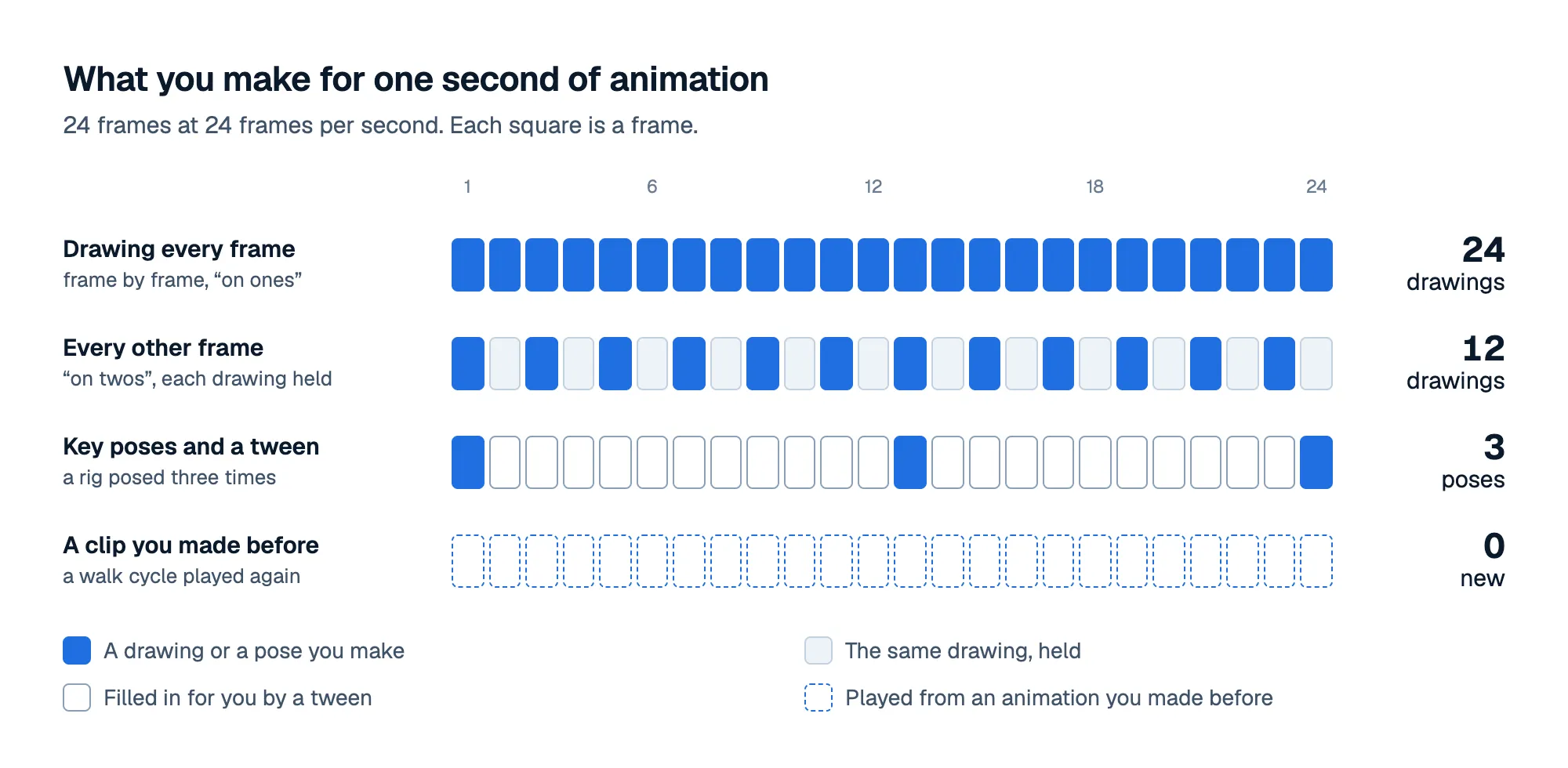
At 24 frames per second, drawing every frame means 24 drawings for each second on screen. Holding each drawing for two frames, “on twos”, halves that. Posing a rig on a few key frames and letting the computer fill in the rest cuts it to a handful. Playing an animation you already made costs nothing new at all.
1. Rig the character once, then pose it
Instead of a drawing per frame, draw the character once, in parts, and add joints where it bends. That’s a rig. From then on, a new pose is a few drags: the wrist up, the knee bent, the head tilted.
In Animperia you make the parts in the drawing editor, check the joints with the Bone tool and pose with Pivots: drag a wrist and the whole arm bends at the shoulder and the elbow. 2D rigging in Animperia covers the tools, and our step-by-step guide shows how to rig a 2D character in any tool.
2. Pose the keys and let tweens fill the gaps
Animators call it pose to pose: you set the important poses, the keys, and the frames in between are in-betweens. A tween is the computer making the in-betweens.
Animperia has tweens in two places:
- Inside a character’s animation, you pose a frame, move along the timeline and pose again. Every frame in between follows, easing from pose to pose. Reshape a shape on one frame, like an eyebrow turned from happy to angry, and the frames in between morph.
- On a scene’s timeline, put a character on frame 1, press F6 to add a keyframe on frame 40, move it there, and press Motion tween. It slides across, easing in and out if you like. Size, rotation, opacity, color and the character’s pose tween the same way, and so does the camera.
Three good key poses and a tween often look better than 24 rushed drawings, because the spacing is even.
3. Make an animation once, play it as a clip everywhere
A walk cycle is a dozen or two frames that loop. Animate it once, and it works in every scene, for as long as the character needs to walk.
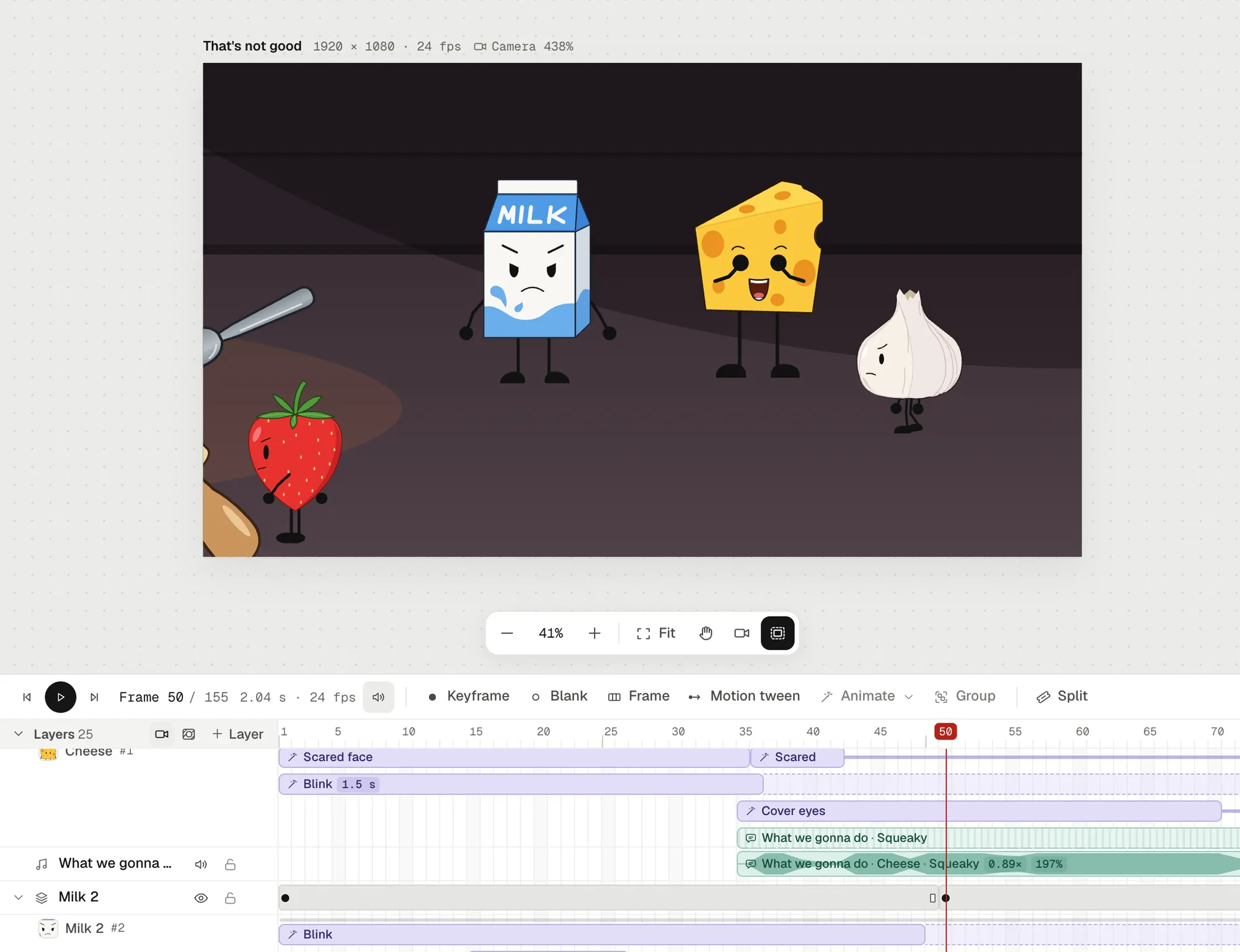
In Animperia, each character keeps its animations, a walk, a blink or a wave, in the drawing editor. In a scene you right-click the character on the timeline, pick Animate: and the animation’s name, and it plays there as a clip. Then:
- Clips combine. A walk and a blink can play at once, so you animate them separately and never again.
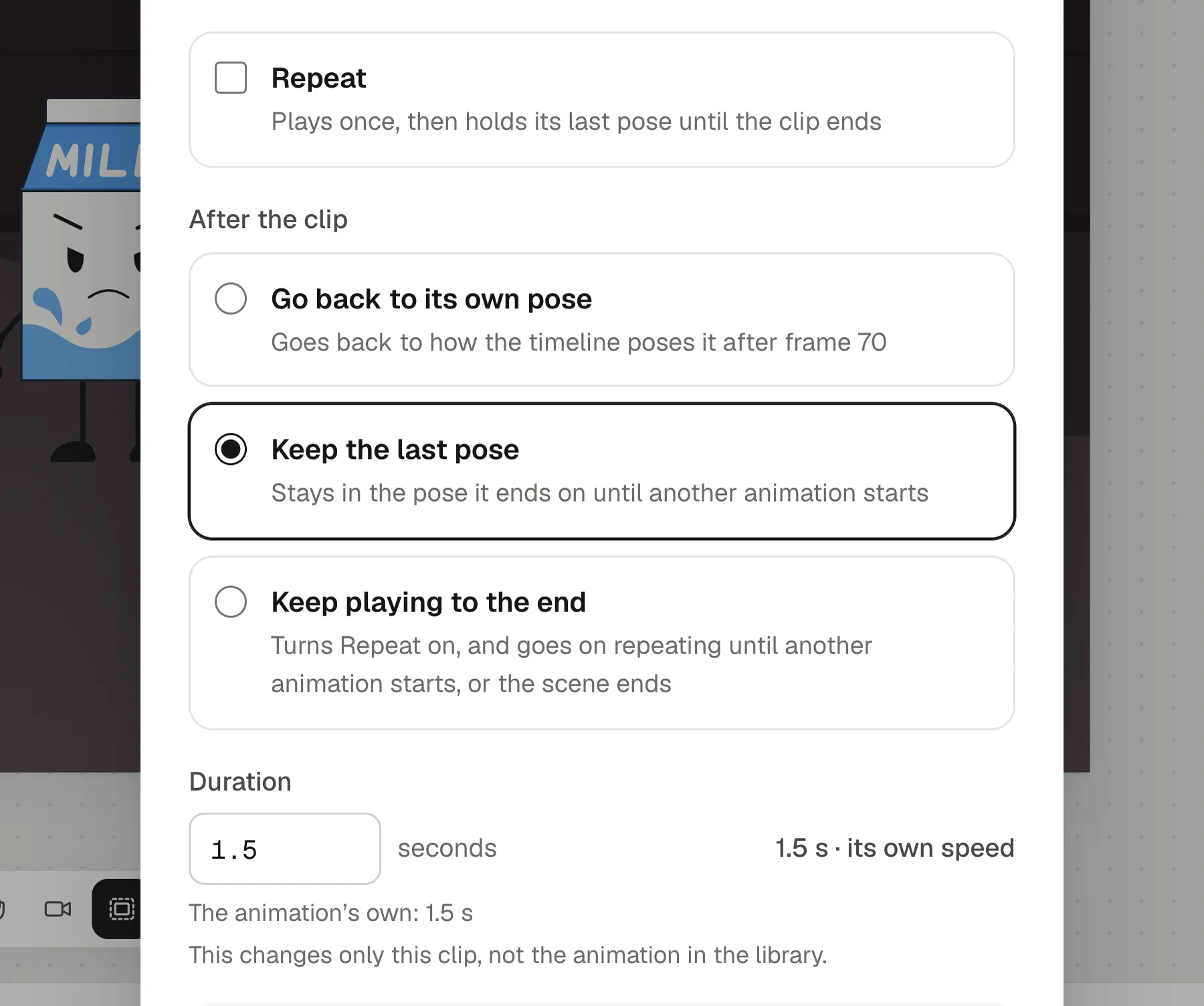
- Clips repeat for as long as the clip lasts, or play once and hold their last pose.
- A clip can run slower or faster than the animation in the library, without changing it.
- After the clip, the character can go back to its own pose, keep the last pose, or keep playing to the end of the scene.
4. Loop the background with groups
Flickering fire, a ticking clock, leaves in the wind: anything that repeats can be animated once and left to loop. In Animperia, select some frames on a scene’s timeline and press Group (⌘G or Ctrl+G). They become a group in the library, like a movie clip in Flash or Adobe Animate, that plays round and round from the frame it appears on. Drop it into any scene as often as you like.
5. Hold, don’t redraw
A held pose isn’t lazy. It gives the audience time to read a face or a gesture, and a scene where everything moves all the time is tiring to watch.
- A keyframe holds what it shows until the next keyframe, so a character can stand still for two seconds with no work at all.
- A clip can keep its last pose, so a character who covers their eyes stays that way until the next animation starts.
- Drawings can be held for two frames, on twos, when you do draw frame by frame.
6. Let the voice move the mouth
Mouths are the most frame-heavy part of a talking cartoon. In Animperia, drag a voice recording onto a character and its mouth swaps between mouth shapes in time with the words, on the stage and in the export. You draw the mouth shapes once, or start from plain ones made from the mouth you drew. Adobe Animate, Toon Boom Harmony and Cartoon Animator also lip-sync from a recording (Adobe, Toon Boom, Reallusion, checked on 11 October 2026), so it isn’t special to Animperia. It just saves a lot of frames.
Animating with a mouse
Frame-by-frame drawing with a mouse is hard, and that’s exactly why the six tricks above matter: every one of them is clicking and dragging. For drawing the character in the first place, you have more options than freehand:
- Shapes and the pen. Build characters from ellipses, rectangles, lines and pen curves, which a mouse handles well.
- SVG import. Draw in Inkscape, Illustrator or Figma and import the file. Each group becomes a part you can rig.
- A forgiving brush. Without a tablet, Animperia’s brush takes its width from how fast you move, and Smoothing steadies the line.
When you should draw frames
Some things look best drawn: a splash, a puff of smoke, a smear on a fast swing, a squash on impact. Animperia has frame-by-frame drawing with onion skin for those, on layers in front of a rigged character or behind it, so you draw a few frames of effects and let the rig do the rest.
Questions
Is it still real animation if I don’t draw every frame?
Yes. Timing, spacing, posing and acting are the craft, and they’re all still yours. Cut-out puppets, reused cycles and held drawings have been part of animation for as long as there has been animation.
Do I need a drawing tablet?
No. Rigs, tweens, clips and lip sync are all mouse work. A tablet only helps if you want to draw frame by frame with pressure.
What do I need to try this?
A desktop browser on Windows, Mac or Linux; we test Animperia in Google Chrome. Animperia is free during the beta, for people aged 13 and over: sign up and make one character, one walk and one scene.