Flash-style animation software, in your browser
Updated
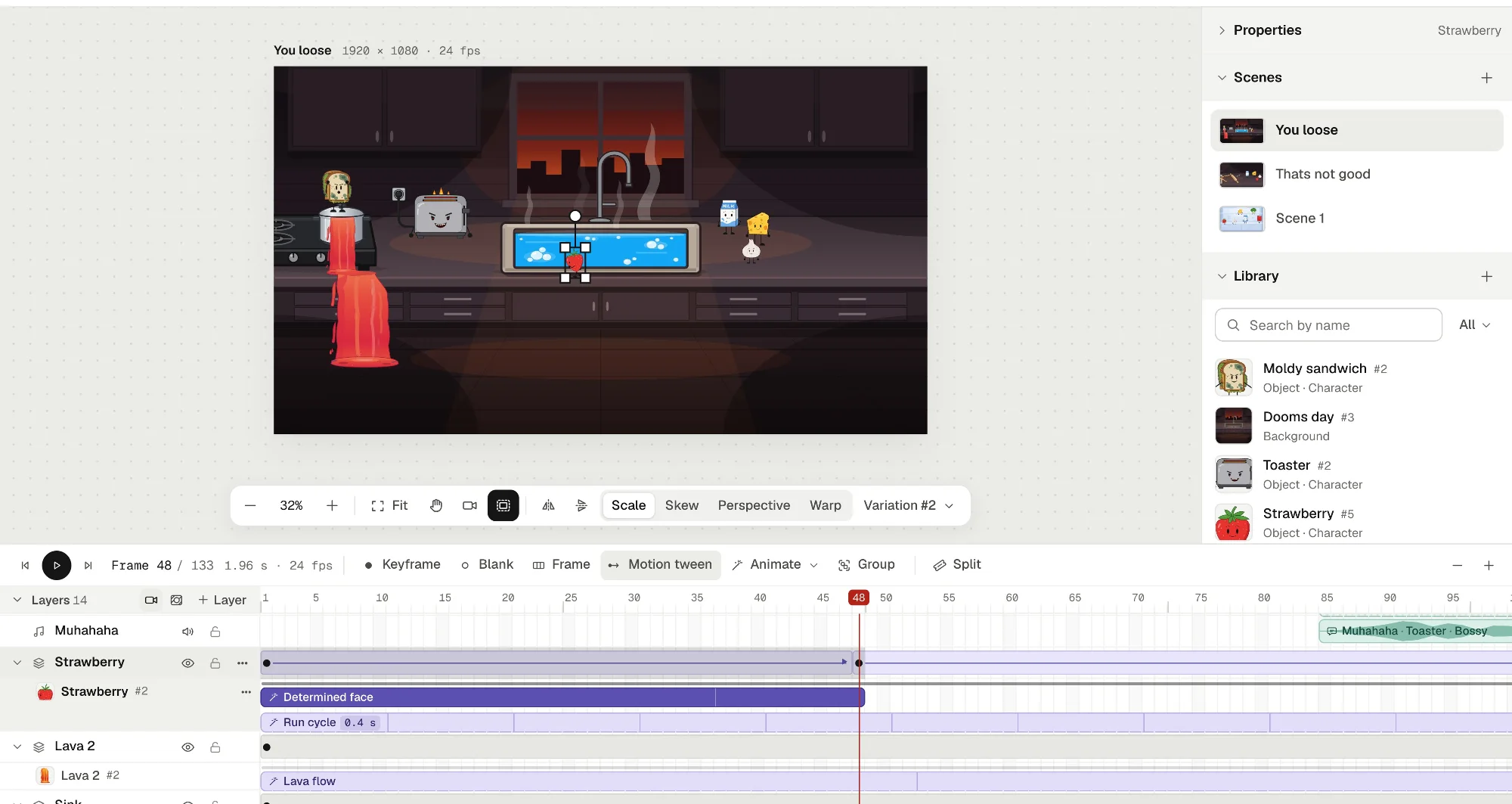
If you learned to animate in Flash, you remember how it went: a stage, a timeline of layers, F6 for a keyframe, a tween between two poses, symbols reused all over the place, and a cartoon that played right in the browser. Animperia is a 2D animation studio that runs in a browser tab and works the same way. You draw vector characters, animate them on a timeline of layers and keyframes, and give them voice lines that move their mouths.
Let’s be clear from the start: Animperia isn’t Flash. It doesn’t make SWF files or play them, and there’s no ActionScript. What you make comes out as a video, a GIF or images. If you miss the Flash workflow and the Flash look, this page is for you. If you want to play old Flash games and cartoons, Ruffle is what you need.
Animperia is free during the beta.
What happened to Flash
Two different things were called Flash, and they ended differently.
- The animation tool lives on under another name. Macromedia Flash became Adobe Flash Professional after Adobe bought Macromedia in 2005, and Adobe renamed it Adobe Animate with its release of 8 February 2016 (Wikipedia). As of 11 October 2026, Animate is in maintenance mode: still sold, with fixes but no new features. Our Adobe Animate page has the dated details.
- Flash Player is gone. Adobe stopped supporting the plug-in that played SWF files on 31 December 2020, and blocked Flash content from running in it from 12 January 2021 (Adobe).
So the tool you animated in still exists, as a desktop app on a subscription, while the way your cartoons reached people on the web doesn’t.
Watching old Flash cartoons and games
Ruffle is a free, open-source Flash Player emulator (Ruffle). It comes as a browser extension for Chrome, Firefox and Edge, and as a desktop app for Windows, macOS and Linux (Ruffle downloads). On 11 October 2026, its own figures put its support for ActionScript 1 and 2, which most older cartoons used, at 99% of the language, and for ActionScript 3 at 90%, with 82% of the API for both (Ruffle compatibility). Newgrounds and the Internet Archive both use it to keep Flash work playable (Wikipedia).
Animperia is for making new cartoons, not for playing old ones.
The Flash style, and how to make it here
When people say “Flash style” or “Newgrounds style”, they usually mean a look that came from what the tool made easy:
- Clean vector shapes: crisp outlines and flat fills that stay sharp at any size.
- Puppets instead of redrawing: a head, a body and limbs as separate pieces, posed and tweened, so one person could finish a whole episode.
- Swapped mouths: a set of mouth drawings switched in time with the voice.
- Loops made once: a blink or a walk, played wherever it was needed.
- Big camera moves: pans and zooms across the scene.
- Frame by frame where it counts: a smear, a dust cloud or an explosion drawn by hand between the tweens.
Each of those has a direct way to do it in Animperia:
- Draw in vector. In the library, click +, pick Object, and start from a Blank canvas. The pen, pencil, brush, shapes and Fill bucket all draw vector shapes. Fill closes gaps between lines, with a Gaps setting from Don’t close to Large, much like Flash’s Paint Bucket.
- Build a puppet. Make each piece that moves a part (Make as body part, in a group’s ⋯ menu), and join the parts with the Bone tool (M). Turn on Pivots and drag a wrist: the whole arm bends.
- Pose and tween. Put the character on frame 1 of the scene, press F6 further along, move or turn it there, and press Motion tween. Ease in, out or both.
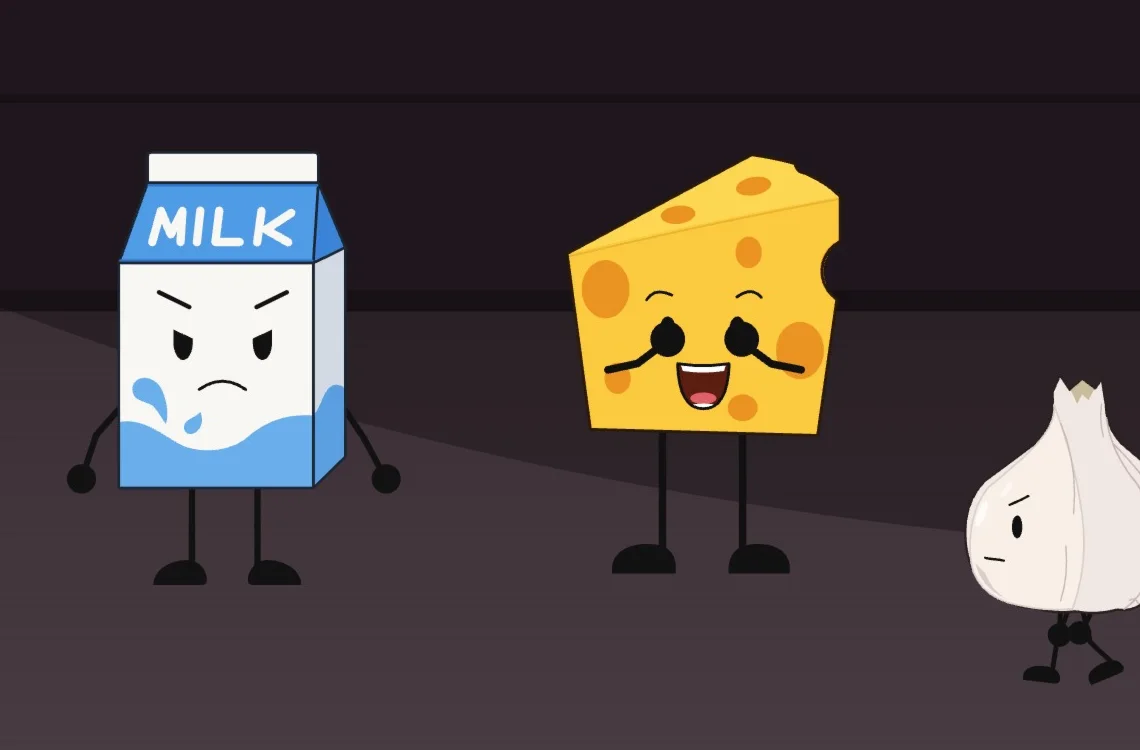
- Let the voice move the mouth. Upload a voice line and drop it on the character: its mouth switches between eight mouth shapes in time with the words. You can redraw any of them by hand.
- Make loops once. A character keeps its moves (a blink, a walk) as animations you play as clips on the timeline, and they combine. Select frames and press Group, and they become a group that plays its own timeline, like a movie clip.
- Move the camera. Add a Camera layer and keyframe its pan, zoom and turn.
- Draw effects frame by frame. In a character’s animation, a drawing layer holds a new drawing on each keyframe, with onion skin around the playhead.
Projects run at 12, 24, 25 or 30 frames a second. At 12, every frame is a new one, which gives the steppier feel of animating on twos.
What will feel familiar
Most of the habits you built in Flash still work, often on the same keys.
| In Flash | In Animperia |
|---|---|
| The stage and the timeline, top layer in front | The same: the stage above, the scene’s layers below, the top one in front |
| F5, F6 and F7 for a frame, a keyframe and a blank keyframe | The same keys, with Shift+F5 to remove frames and Shift+F6 to clear a keyframe |
| Enter to play, comma and period to step | The same keys, and you hear the sound frame by frame as you step |
| Classic tweens with easing | Motion tweens for position, size, rotation, skew, opacity, brightness, tint and a character’s pose |
| Shape tweens | Reshape a shape on a frame of a character’s animation, and the frames in between morph |
| Graphic and movie clip symbols | Objects in the Library, animations that play as clips, and groups with a timeline of their own. Double-click one to edit it in place |
| Mask layers | Mask layers, with shapes you can keyframe and tween |
| Onion skin | Onion skin in an animation’s timeline: earlier frames in blue, later ones in green |
| Brightness, Tint and Alpha | Brightness, Tint and Opacity in the Properties, tweened between keyframes |
| Free Transform and Envelope | Scale, Skew, Perspective and Warp handles |
| One-letter tool keys | Adobe Animate’s keys for the drawing tools: V, P, B, N, R, O, T, K, E and L, and M for the Bone tool |
| Sounds on their own layer | Sound layers, which you can trim, split and scrub |
The Flash column follows how Flash Professional, and Adobe Animate after it, name things (Adobe’s guide to frames and keyframes).
Flash, Adobe Animate and Animperia side by side
Flash’s authoring tool became Adobe Animate, so here’s where each stands as of 11 October 2026.
| Flash Professional (until 2016) | Adobe Animate (2026) | Animperia | |
|---|---|---|---|
| Where it runs | A desktop app for Windows and Mac | A desktop app for Windows and macOS (Adobe) | A web browser on a Windows, Mac or Linux computer |
| Price | Sold on its own, then in Creative Suite and Creative Cloud (Wikipedia) | US$22.99 a month on an annual plan, billed monthly (adobe.com) | Free during the beta |
| Files | FLA, and later XFL | FLA and XFL | Saved online as you go, and downloadable as one .animperia file |
| What it makes | SWF for Flash Player, and video | Video, GIF, HTML5 Canvas, WebGL and SWF (Adobe) | MP4, see-through MOV and WebM, GIF and PNG images |
| Games and buttons | ActionScript | ActionScript or JavaScript | None |
| Playing it on the web | Flash Player, which ended in 2020 | HTML5 Canvas output, or video | Your video, posted wherever you like |
What Animperia doesn’t do (yet)
Some Flash things have no counterpart here. As of 11 October 2026, Animperia can’t:
- Make or play SWF files. Use Ruffle to play them.
- Run code. There’s no ActionScript, no buttons and no games: Animperia makes cartoons, not interactive content.
- Open FLA files. Only your artwork comes over, as SVG (below).
- Export vector files. SVG comes in, but nothing goes out as SVG yet.
- Work offline. It needs an internet connection, though changes wait in the browser if the connection drops.
- Run on phones or tablets. It’s made for a computer’s browser.
- Do every Flash trick. There are no motion guides, custom ease curves, shape hints, filters such as blur or glow, or blend modes.
How to bring your Flash work over
Animperia can’t read Flash files, but your drawings can come with you as SVG, and you animate them again.
- If you still have the FLA files: open them in Adobe Animate and export the artwork as SVG, as our Adobe Animate page explains step by step.
- If all you have is the SWF: JPEXS Free Flash Decompiler, a free and open-source tool, exports a SWF’s shapes in formats that include SVG (JPEXS wiki). Only do this with your own work.
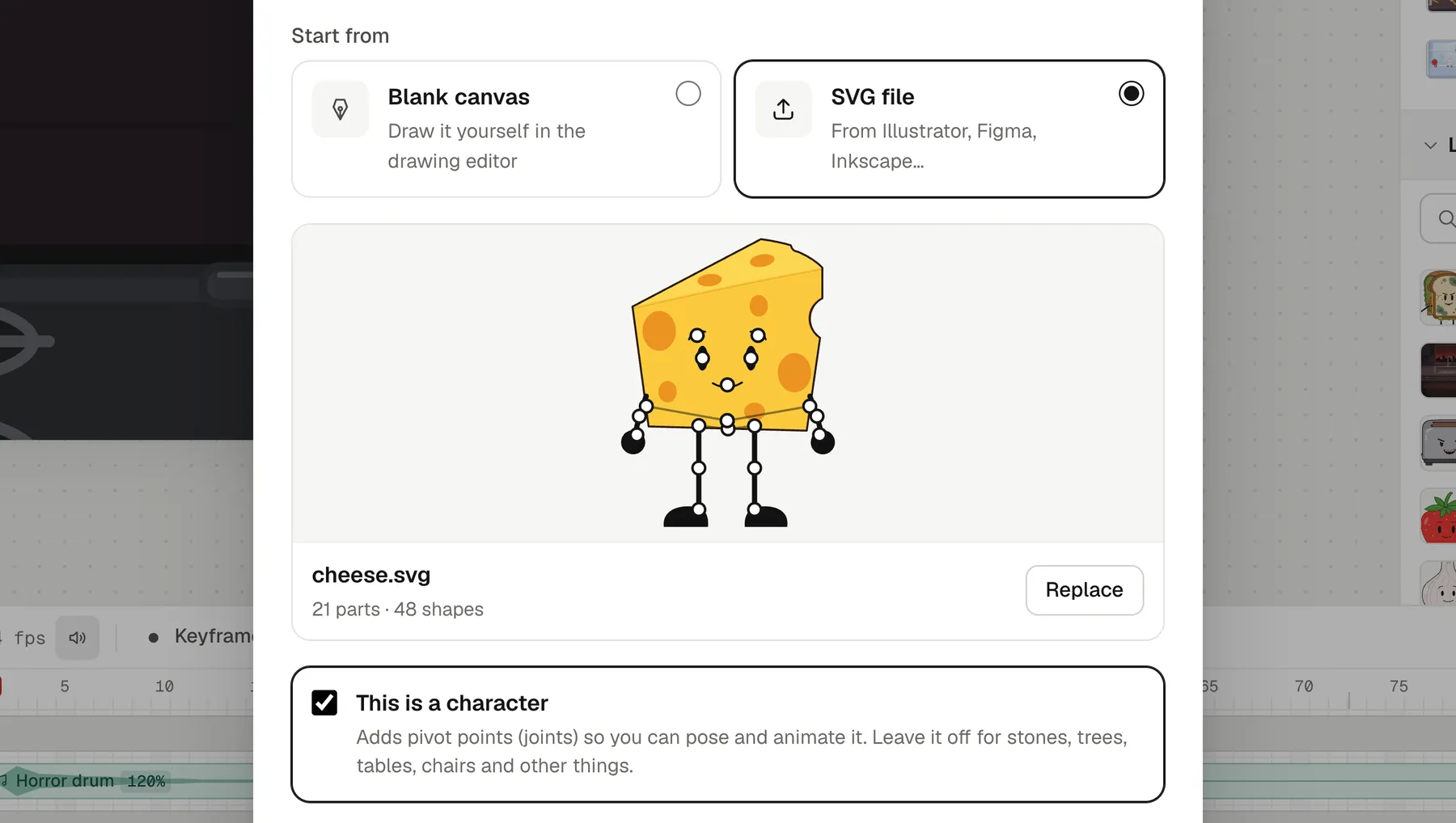
- Then import it: in the library, click +, pick Object, and on the Hands-on tab choose SVG file. Tick This is a character and the file’s groups become parts that turn where they meet, ready for the Bone tool and Pivots. A group named Mouth can talk.
Questions from Flash animators
Is Animperia a Flash emulator?
No. It doesn’t play SWF files and can’t open FLA files. It’s a new 2D animation studio that works the way Flash’s timeline did. To play old Flash content, use Ruffle.
Can you still make Flash animations in 2026?
You can make Flash-style animation, and you can still buy Flash’s successor, Adobe Animate. What has changed is the output: with Flash Player gone, cartoons are shared as video. Animperia makes MP4 videos at 720p or 1080p, GIFs, see-through MOV and WebM files, and PNG images.
Is there free software like Adobe Flash?
Animperia is free during the beta, and it runs in your browser, so there’s nothing to install. You sign up with your email, and while the beta has room, you get a link to set your password and start right away.
Do I need a drawing tablet?
No. You can draw with a mouse, and pose and tween characters without drawing every frame. If you have a pen tablet, the brush follows its pressure.
Does it work on Mac and Linux?
Yes. It runs in a desktop browser on Windows, Mac or Linux, and we test it in Google Chrome.
Do I have to use AI?
No. Everything can be drawn, rigged and animated by hand. The AI helpers are optional.
About this comparison
This page compares Animperia as it is on 11 October 2026 with Flash’s history and Adobe Animate as Adobe and the sources linked above describe them. If you’ve been waiting for a timeline that feels like Flash again, sign up for the beta: it’s free while the beta lasts.
Adobe, Flash, Macromedia and ActionScript are either registered trademarks or trademarks of Adobe in the United States and/or other countries. Other names are trademarks of their owners. Animperia isn’t affiliated with or endorsed by Adobe, the Ruffle project or Newgrounds.