Animperia, a lighter Toon Boom Harmony alternative
Updated
Toon Boom Harmony is a professional standard in 2D animation. Toon Boom says the best animation studios in the world use its software, and its home page shows studios such as Disney TVA, DreamWorks Animation, Nickelodeon and Cartoon Network (Toon Boom). If you work in a studio pipeline, or you’re training for one, Harmony is the tool to learn, and this page won’t tell you otherwise.
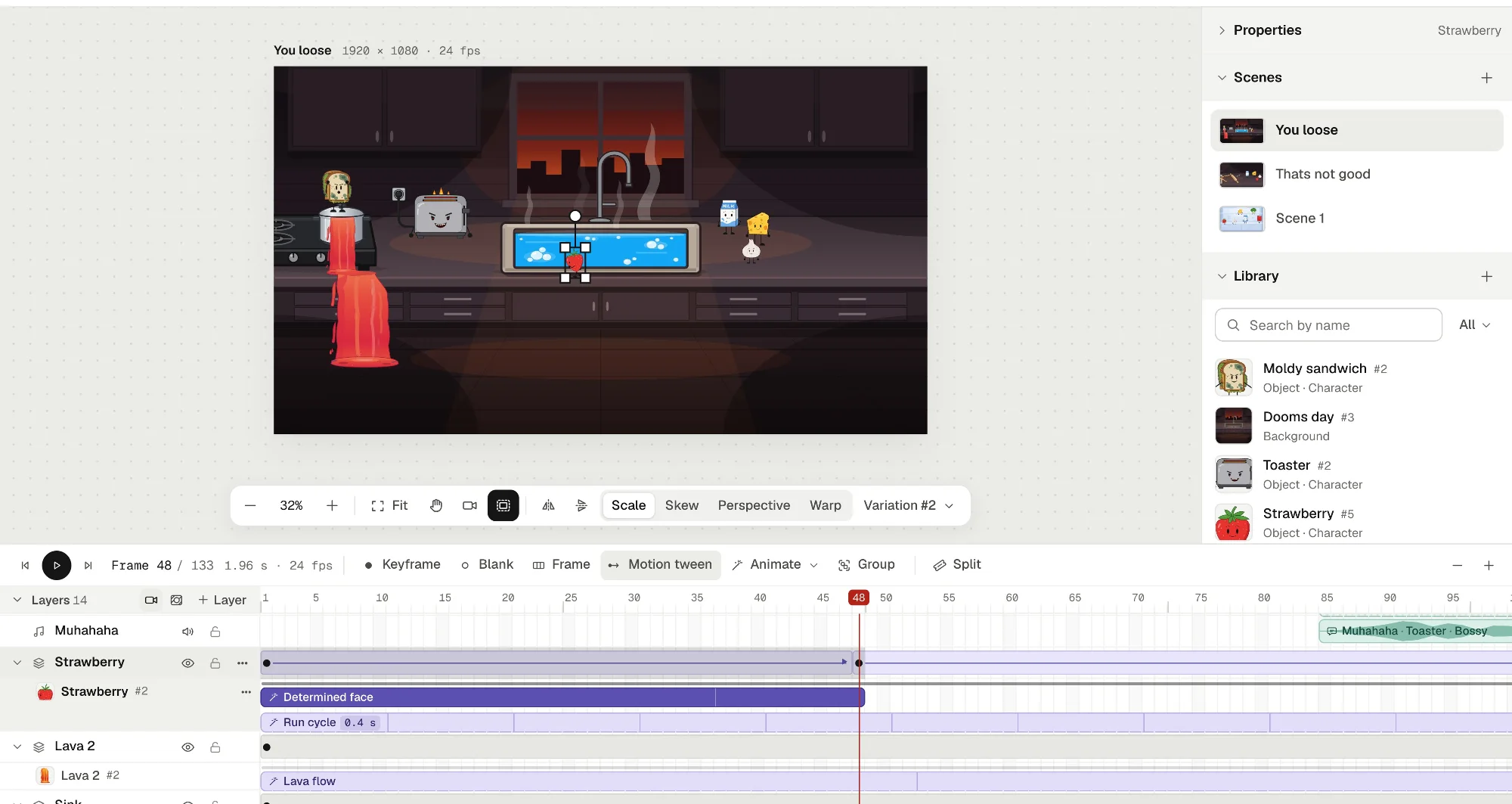
Animperia is for a different person: someone making their own cartoons, alone or with a friend, who finds Harmony’s subscription too much for a hobby, or doesn’t need a node view and compositing to make a two-minute short. It’s a 2D animation studio that runs in your web browser, with a keyframe timeline, characters you rig with bones, motion tweens, a camera and automatic lip sync, and it’s free during the beta.
What Harmony costs in October 2026
Harmony is sold by subscription only, in three editions. On 11 October 2026, Toon Boom’s store showed us these prices in euros, as it prices by country (Toon Boom store):
| Edition | Monthly | Yearly | What it adds |
|---|---|---|---|
| Harmony Essentials | €33 a month | €273 a year | Vector drawing, a pressure-sensitive brush, onion skinning, ink and paint |
| Harmony Advanced | €83 a month | €640 a year | Bitmap drawing, scanning and vectorizing, textured brushes, 4K resolution |
| Harmony Premium | €151 a month | €1,225 a year | Node view, deformers, all effects, particles, 3D models and master controllers |
There are also 3-year plans and student prices on the same page, and the store shows its prices in your own currency when you pick your country. Toon Boom offers a 14-day free trial (Toon Boom).
The current version is Harmony 27, build 25334 of 16 June 2026 (Toon Boom docs). It runs on Windows 10 and 11, macOS, and two Linux distributions, CentOS Stream 9 and Rocky Linux 9.4 (Toon Boom docs).
What will feel familiar
Harmony and Animperia are built very differently, but the everyday ideas carry over.
| In Harmony | In Animperia |
|---|---|
| The timeline, with layers, keyframes and exposure | The scene’s timeline: layers, Keyframe (F6), Blank keyframe (F7) and Frame (F5) |
| Cut-out rigs, with pegs and parented layers | Characters made of parts that hang from each other, joined with the Bone tool (M) |
| Posing by rotating parts and using inverse kinematics | Pivots: drag a wrist or an ankle and the whole limb bends |
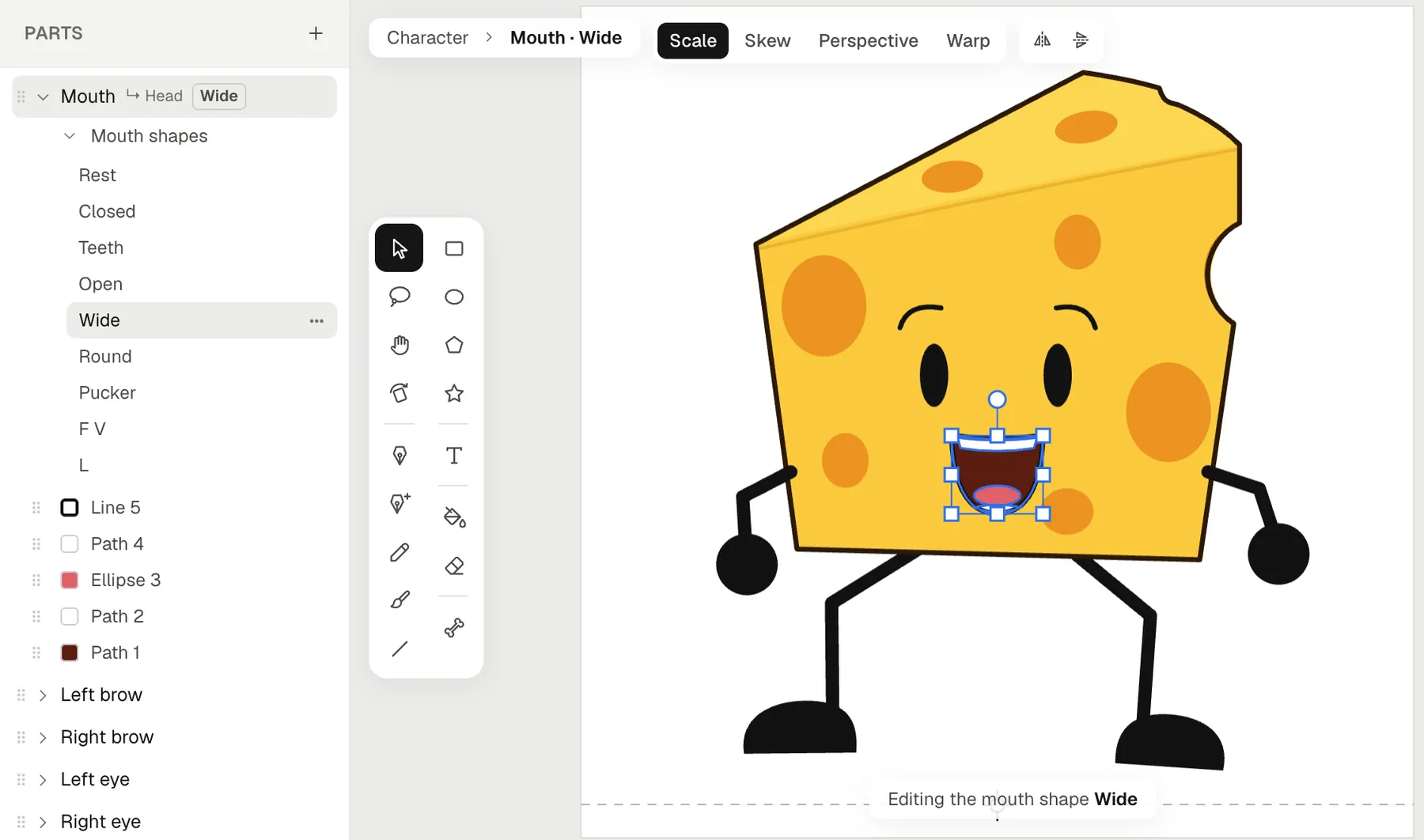
| Lip-sync detection, mapped to a mouth layer’s drawings | Drop a voice line on a character, and its mouth swaps between eight mouth shapes |
| Drawing substitution | Drawing layers, a drawing per keyframe, and mouth shapes you redraw by hand |
| Symbols | Groups: frames turned into one library item that plays its own timeline |
| Onion skin | Onion skin in an animation’s timeline, earlier frames in blue and later ones in green |
| The camera | A Camera layer you pan, zoom and turn with keyframes |
| Vector drawing tools, with gap closing | The pen, pencil, a pressure-sensitive brush, shapes, and a Fill bucket that closes gaps |
| Cutters and masks | Mask layers, with shapes you can keyframe and tween |
Harmony’s column follows Toon Boom’s store and documentation, checked on 11 October 2026. Harmony’s lip-sync detection fills a mouth layer with letters for eight mouth drawings you’ve drawn. Animperia also times the voice by itself, and gives each character plain mouth shapes, made from its mouth, until you redraw them.
Harmony and Animperia side by side
| Toon Boom Harmony 27 | Animperia | |
|---|---|---|
| Who it’s for | Studios, professionals, students and enthusiasts, by edition (Toon Boom) | Hobby and indie creators making their own cartoons |
| Where it runs | An app for Windows, macOS and two Linux distributions | A web browser on a Windows, Mac or Linux computer |
| Price | A subscription, from €33 a month in our region | Free during the beta |
| Your files | Scenes saved on your computer, or on a Harmony server for teams | Saved online as you work. Download a whole project as one .animperia file |
| Drawing | Vector, and bitmap from Advanced up | Vector |
| Rigging | Pegs and deformers, with curve deformers and the node view in Premium | Parts, bones and pivots |
| Effects and compositing | Effect layers and nodes, particles, 3D | Opacity, brightness and tint, masks and a camera |
| Export | Movies and image sequences, among others | MP4 at 720p or 1080p, green-screen MP4, see-through MOV and WebM, GIF and PNG images |
| Working together | Multi-user environments and batch rendering in Advanced and Premium | One account per project |
What Animperia doesn’t do (yet)
A lot of what makes Harmony a studio tool isn’t here. As of 11 October 2026, Animperia has:
- No node view, compositing or effects such as blur, glow or particles.
- No deformers. You reshape shapes on the frames that need it, and a warp grid bends a whole object on the stage.
- No bitmap drawing or textured brushes. Everything you draw is vector.
- No multiplane depth or 3D. The camera pans, zooms and turns in 2D.
- No team pipeline. A project belongs to one account, with no shared projects, Harmony server or render farm.
- No Harmony file import, and no vector export. SVG comes in, but nothing goes out as SVG yet.
- No offline mode, and no phones or tablets. It runs in a computer’s browser, with an internet connection.
How to bring artwork over from Harmony
Animperia can’t open Harmony scenes, so the rig, the timing and the effects stay in Harmony. Your vector drawings can come over, by way of PDF and SVG.
1. Export a vector PDF from Harmony. File > Export > Images can write PDF files, and when the Write node is connected to a vector drawing layer or a vector composite, the PDF holds the image as vector graphics (Toon Boom docs). If your designs started in Illustrator or another vector app, use those files instead.
2. Turn the PDF into SVG. Inkscape, a free vector editor, opens PDF files and saves them as SVG (Inkscape FAQ). Group each body part there and name the groups, since those groups become the parts.
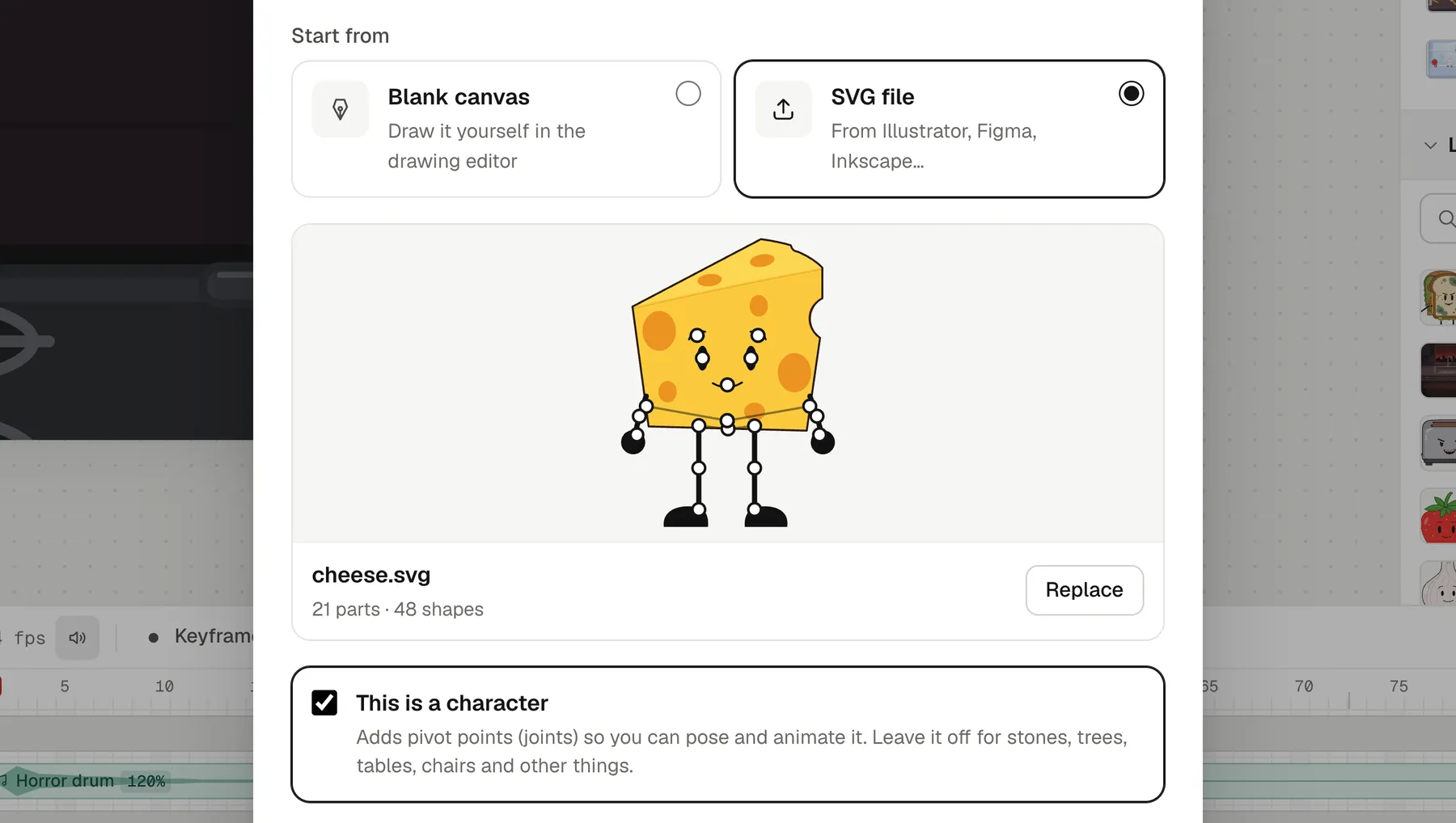
3. Import it into Animperia. In the library, click +, pick Object, and on the Hands-on tab choose SVG file. Tick This is a character: each group becomes a part that turns where it meets the one it hangs from, and a group named Mouth can talk.
4. Rig, animate and give it a voice. The Bone tool (M) moves joints and hangs parts elsewhere. Pose it with Pivots, keep its moves as animations, place it in a scene, and drop a voice line on it.
Questions from Harmony users
Is there a free Toon Boom alternative?
Animperia is free during the beta, and it runs in your browser. If you need a free desktop app for 2D animation instead, OpenToonz is free and open source, for Windows and macOS. It’s based on Toonz, which Studio Ghibli customized and used on almost all of its works (OpenToonz).
Is Toon Boom Harmony a one-time purchase?
No. As of 11 October 2026, Toon Boom’s store sells Harmony as a monthly, yearly or 3-year subscription, with student prices (Toon Boom store).
Can I open Harmony scenes in Animperia?
No. Bring your drawings over as SVG, as above, and animate them again.
Is Animperia good enough for professional work?
It makes finished 1080p videos, and what you make is yours. But it has no team pipeline, compositing or effects, so it suits solo and small indie projects better than studio productions.
Does lip sync work like Harmony’s?
Both time a mouth to a voice track by themselves. In Animperia, you drop the voice line on the character, and the mouth follows the words on the stage, while you scrub and in the export, in English or any other language.
Do I have to use AI?
No. You can draw, rig, pose and animate everything by hand. The AI helpers are optional.
About this comparison
This page compares Animperia as it is on 11 October 2026 with Toon Boom Harmony as Toon Boom’s own pages and the other sources linked above describe it. If you want to make your own cartoons without a studio’s subscription, sign up for the beta: it’s free during the beta.
Toon Boom and Harmony are trademarks of their owner, and other names on this page are trademarks of theirs. Animperia isn’t affiliated with or endorsed by Toon Boom Animation.