How to make an animated series by yourself
Updated
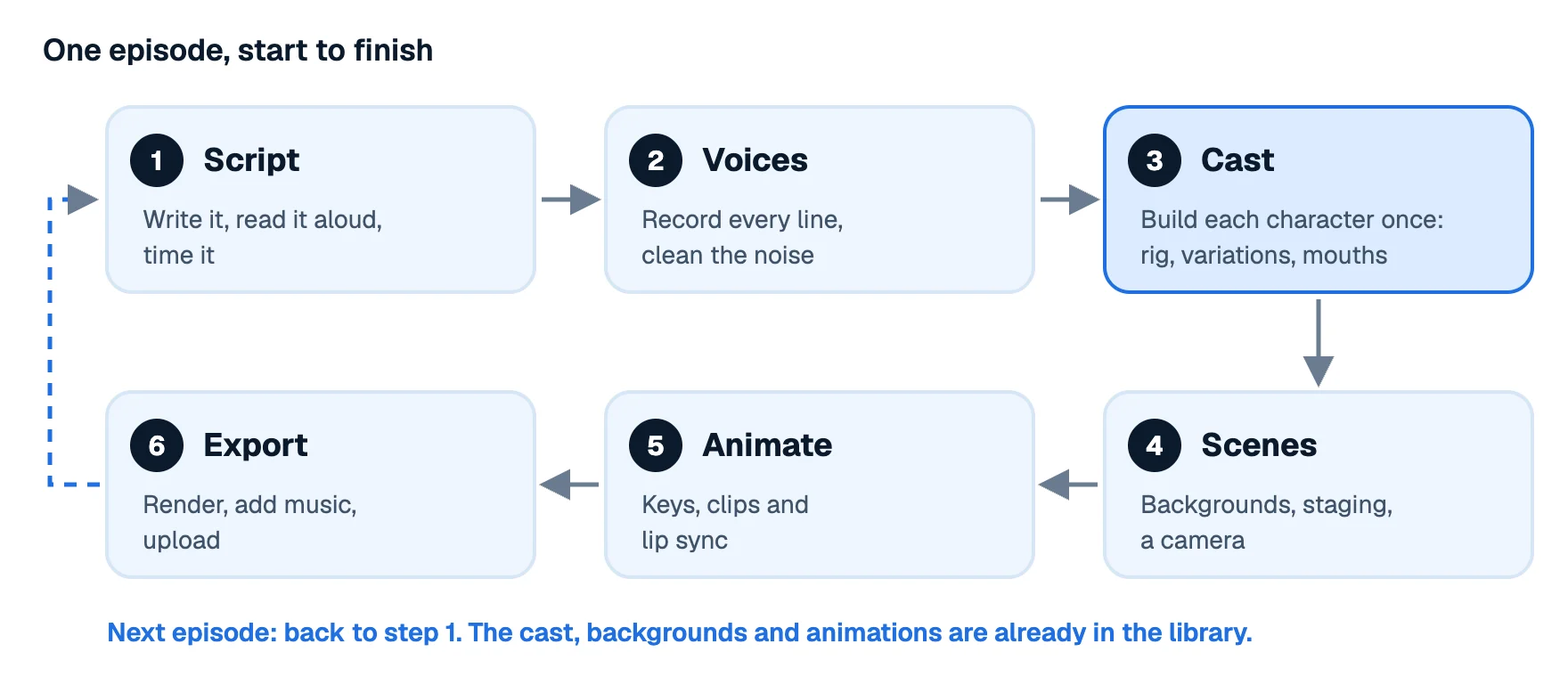
Making an animated series alone sounds impossible until you see where the time goes. The first episode is slow, because you're building everything: characters, places, the way you work. Every episode after that reuses most of it. A solo series is less about animating faster and more about building things once and using them again and again.
This guide walks through that workflow for a cartoon you'll post on YouTube or elsewhere: writing for one person's time, voicing, building a reusable cast, staging scenes, pacing and exporting. The examples are from Animperia, but the plan works with any tool.
1. Write for the time you have
Your script decides how much work an episode is, so write with animation in mind:
- Keep episodes short at first. A tight 2-minute episode you finish beats a 10-minute one you abandon. YouTube Shorts can be up to three minutes long (YouTube Help, checked 11 October 2026), which makes a good first format.
- Reuse places. Two or three locations per episode, the same ones across the series. Every new background is real work.
- Limit the cast per scene. Two or three characters talking is far easier than a crowd.
- Write talking scenes, plan action ones. Dialogue with good timing is cheap to animate. A chase is expensive, so give it fewer, better shots.
- Read it aloud with a timer. That's the episode's real length, before a single drawing.
Then break the script into a shot list, so you know what to build:
| Shot | Place | Characters | What happens | Length |
|---|---|---|---|---|
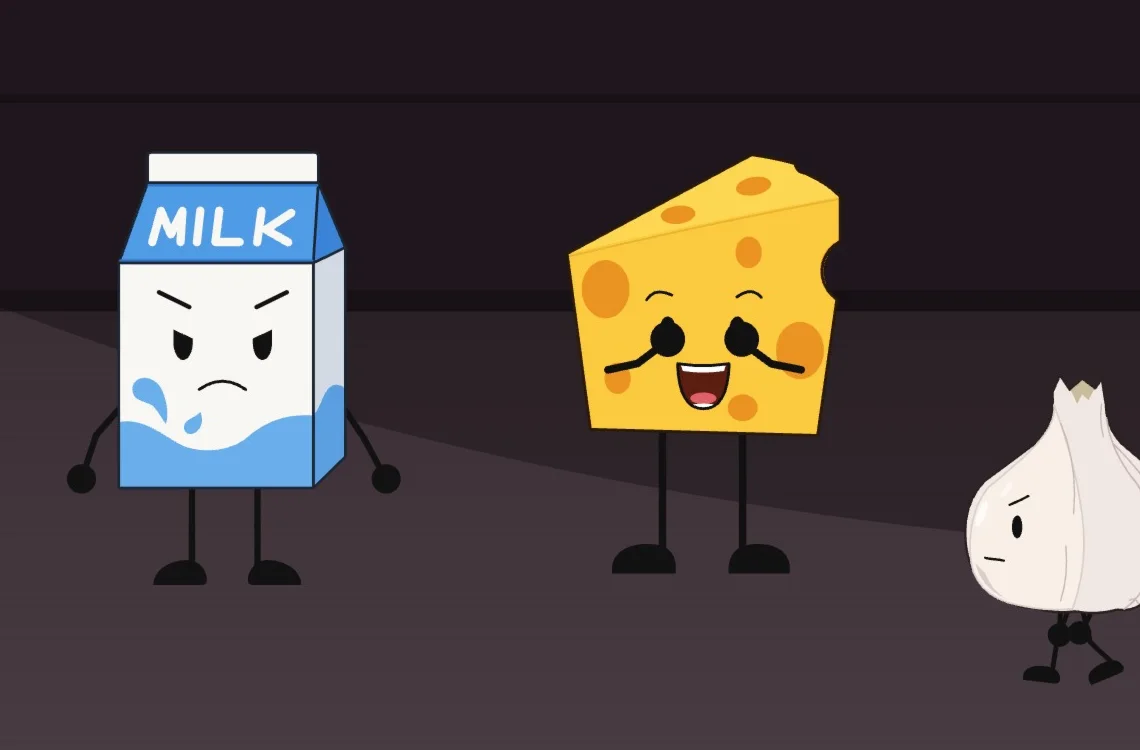
| 1 | Kitchen, wide | Milk, Cheese | Establish the scene, first line | 4 s |
| 2 | Kitchen, close | Cheese | Reaction | 2 s |
| 3 | Fridge | Milk | The joke | 5 s |
2. Record the voices first
Animate to the voices, not the other way round: the recording sets the timing of every scene.
- Record each line as its own file, or record a whole scene and split it later. A quiet room matters more than an expensive microphone.
- Voice several characters yourself. Change your delivery, and let pitch and effects do the rest.
- Trim and clean. Cut the silences and remove background hiss before you animate.
In Animperia: upload a recording with + and Sound, or record one in Give a voice…. Remove noise in the sound's drawer cleans a steady hiss or hum with one click, and Undo brings the recording back. Each character can have voices of its own, starting from ready-made ones such as Bossy, Squeaky or Giant and tuned with sliders, so one person's recording comes out differently from each character. Drag a voice line onto a character and its mouth follows the words: lip sync in the timeline and in the export. Each character's mouth shapes can be redrawn by hand.
3. Build the cast once
This is where a solo series saves the most time. Build each character as a rig: separate parts for the head, the arms and the legs, each turning at its joint. You pose a rig instead of redrawing it, and the same rig works in every episode.
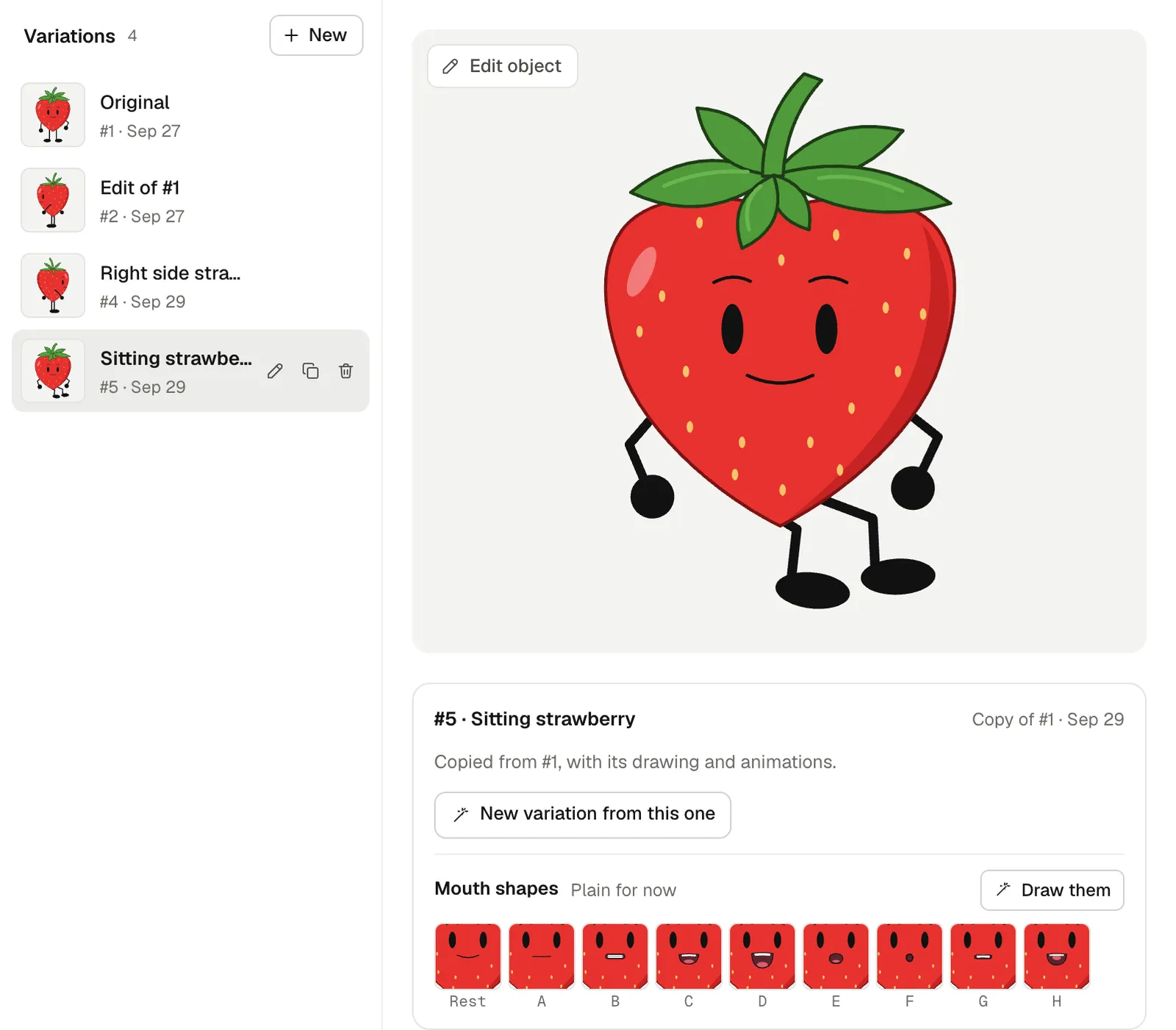
- One design, many variations. Outfits, a side view, a sad version: keep them as variations of one character instead of new characters.
- A small library of moves. Walk, run, blink, talk idle, point, shrug. Animate each once, and reuse it everywhere.
- Draw mouths early, so every character can talk from the first scene.
In Animperia: draw a character in the drawing editor and make its shapes parts (Make as body part), or import one as an SVG file. Pivots shows the joints for posing, and the Bone tool (M) sets where parts turn. A character's variations sit in its drawer. Duplicate copies one, with its drawing and its animations, to change on its own. On the stage, Change variation… swaps a character to another variation in every frame it appears, at the same size and spot, and its clips play the new variation's animations of the same names. Animations belong to the character, so a walk made once plays in any scene. How to animate a walk cycle shows how to make one.
4. Stage the scenes
Treat each shot or location as a scene. Block it out with the backgrounds, put the characters on their marks, set up the camera, then animate.
- Backgrounds: paint them in any app and upload them as images, with variations for day and night or before and after.
- Camera: a slow push-in or a cut to a close-up does a lot of storytelling for very little animation.
- Hold poses. A good pose held while a line is spoken reads better than constant motion. Add blinks and small gestures to keep it alive.
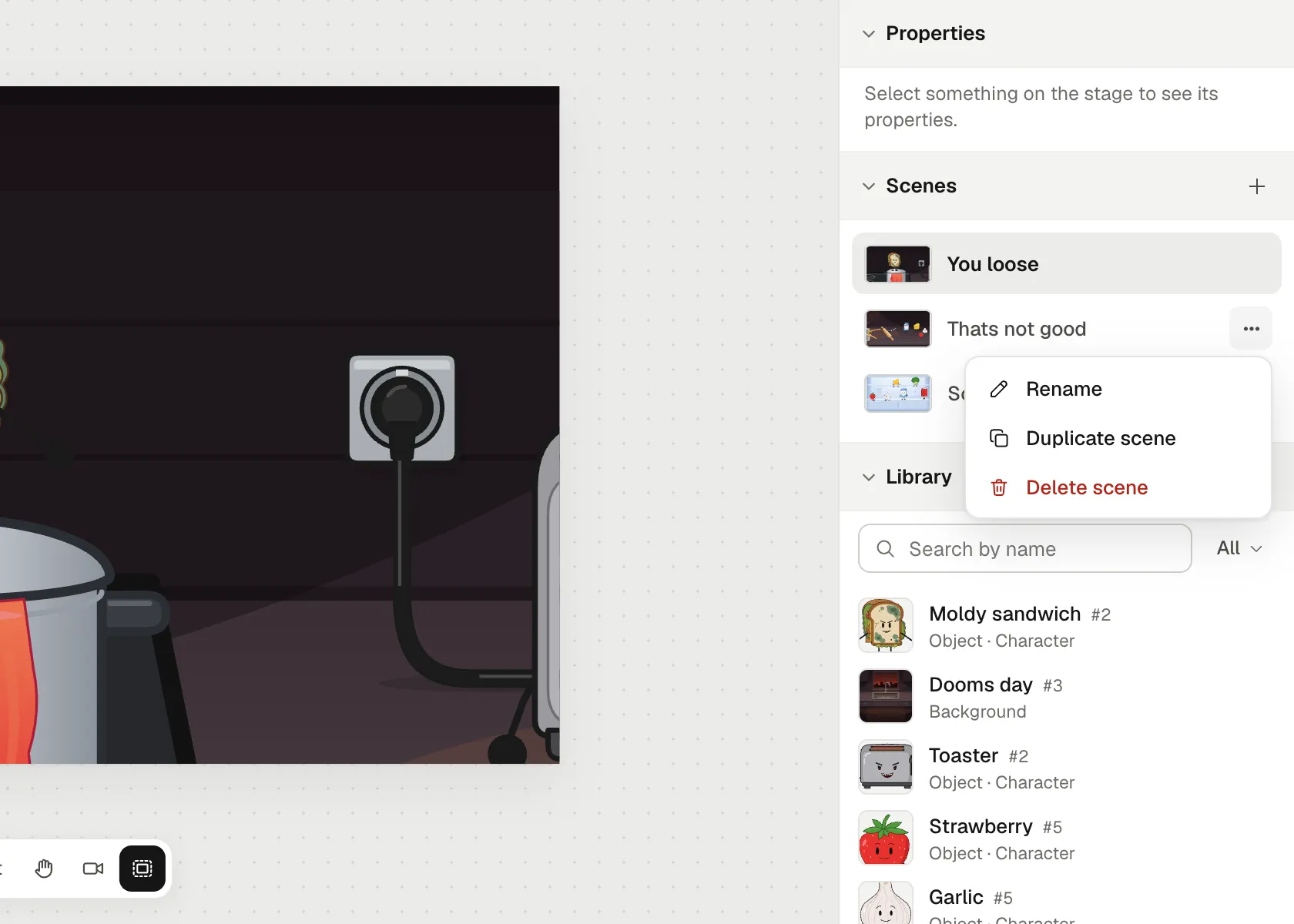
In Animperia: a scene's timeline holds its layers, keyframes, motion tweens and animation clips, and a Camera layer frames the shot. Duplicate scene in a scene's ⋯ menu makes the next scene start where this one ends: every character and prop where the last frame leaves it, and music that plays over the end playing on, so you can cut to a new shot without setting it up again. Cut, copy and paste carry a character to another scene with everything it does.
5. Animate, reusing everything you can
Work from the voice track:
- Lay in the voices and let the lip sync run.
- Block the acting: the key poses on the important words. Keep the rest still.
- Add the moves from your library as clips: a walk in, a gesture, a reaction.
- Polish only what people will look at: the face that's talking, the action that's the joke.
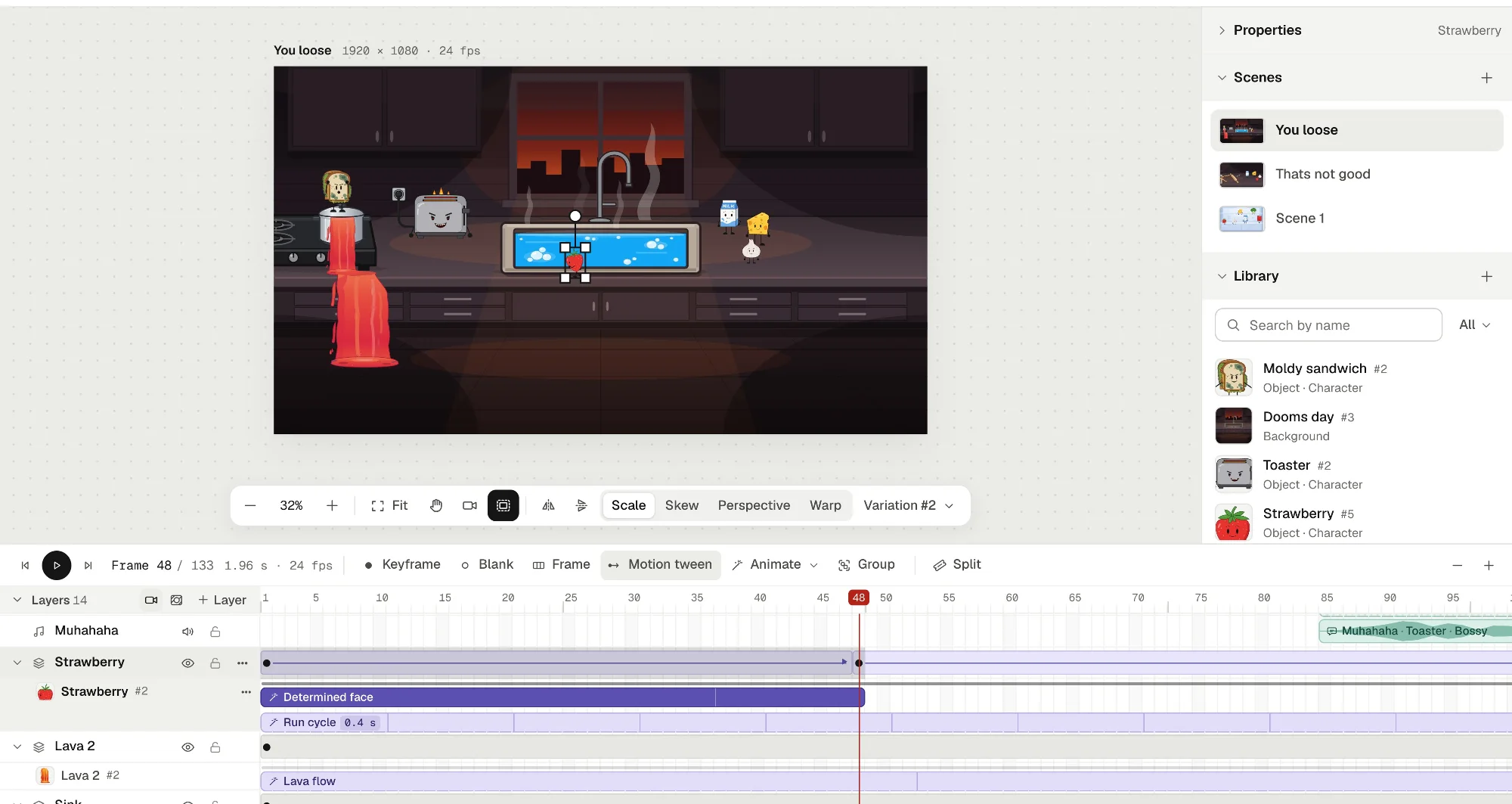
In Animperia: right-click a character's row, pick Animate: and an animation, and it plays as a clip you can drag, trim and repeat. A clip's Options… play it faster or slower, once or on repeat, and choose whether it holds its last pose after. Two clips on one character combine, so it can walk and blink at once. Groups work like movie clips for anything that repeats on its own, such as a flickering sign or steam from a pot.
6. Pace the episode
Pacing is what makes a small production feel professional:
- Hook in the first seconds: start with the situation, not the setup.
- Vary the shot length. Quick cuts in the action, longer holds for the jokes and the feelings.
- Leave a beat after a punchline before the next line, so it lands.
- Cut on action. Change shots in the middle of a movement to hide the edit.
- Watch it in one go. Every few scenes, export a draft and watch it like a viewer would. Whatever drags, cut.
7. Export and publish
Export the scenes back to back, add music if you haven't, and upload.
In Animperia: Export renders the scenes you tick, in the project's order, as an MP4 at 720p or 1080p with their sound, and downloads it when it's ready. A GIF works as a teaser and a see-through MOV or WebM for editing in another app. For a vertical Short, make a project on the 9:16 Portrait canvas, or duplicate the episode's project and change its canvas in Project settings…: everything stays centered, and you re-frame with the camera.
Starting the next episode
Here's where the series pays off. Your characters, their variations and animations, your backgrounds and sounds are all in the library. Duplicate the last episode's project, or start a new scene in the same one, and go straight to the script. Download project saves the whole thing as one file whenever you want a copy.
Questions about making a series alone
Can one person really make an animated series?
Yes, if the series is designed for it: short episodes, a small cast, a few reusable places and a style you can produce quickly.
Do I need to know how to draw?
It helps, but a rigged cast with simple shapes can carry a series. Strong writing, voices and timing matter more than detailed drawings.
How long does an episode take?
It depends on the length, the style and how much you reuse. Time your first scene from start to finish, then multiply by the number of scenes for a realistic estimate. The second episode is much faster than the first.
What software do I need?
Something that handles a timeline, sound and reusable characters. Animation software for beginners compares the main options. Animperia runs in a desktop browser on Windows, Mac or Linux and is free during the beta.