Animation software for beginners: how to choose
Updated
There's no single best animation software for beginners. The easiest one is the one that fits how you want to animate, the device you already have and what you can spend. A great iPad app is no use on a Windows laptop, and a powerful studio tool can bury a first project under features.
This guide explains what to look for, then describes the main free and paid 2D options as of October 2026, each with what it's good at and where it runs. It's not a ranking: the order is by type, then alphabetical. Animperia, which we make, is one of the options and is described the same way as the others.
First, decide how you want to animate
2D animation software works in two main ways, and most tools lean toward one of them.
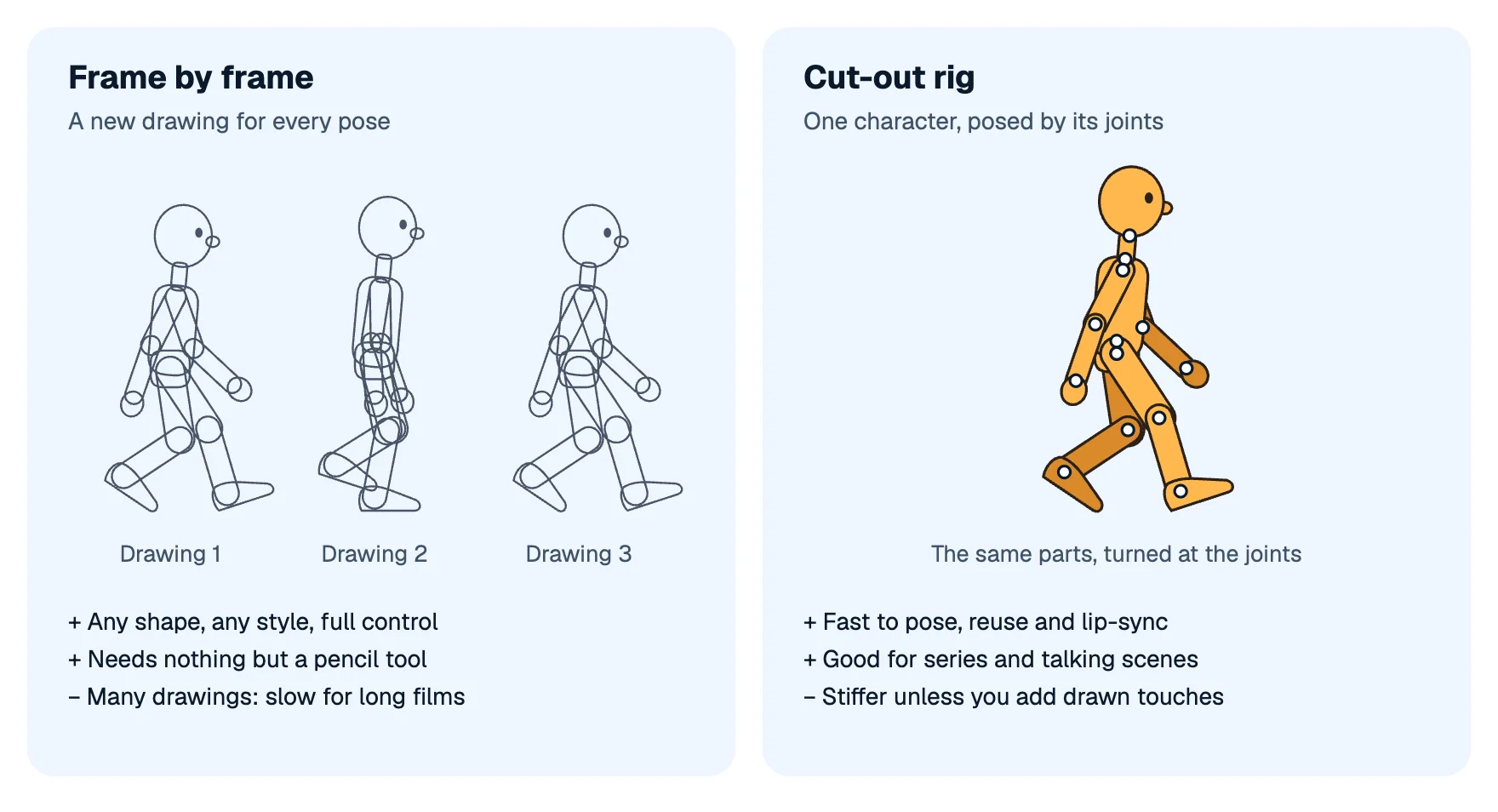
Frame by frame means drawing every pose, as in a flipbook. It gives you complete freedom over shapes and style and it's the purest way to learn the craft, but it's a lot of drawing, and a drawing tablet or a pen helps a great deal.
Rigs (cut-out animation) mean building a character once from parts joined at pivots, then posing it by turning the parts, with the software filling in the frames between your poses. It's faster for long or talking-heavy work and easy with a mouse, but it can look stiff until you add drawn touches.
Many tools do both. If you're not sure, try a little of each: a bouncing ball drawn frame by frame, and a character posed with a rig.
What to look for
- Your device. Check what it runs on: Windows, Mac, Linux, iPad, Android, or a web browser. It's the fastest way to narrow the list.
- Price. Free and open source, a one-time purchase, or a subscription. Many paid tools have a free trial, so try before you buy.
- Input. With only a mouse or a trackpad, rigs and tweens are friendlier than frame-by-frame drawing.
- Learning resources. A clear manual, official tutorials and an active community matter more for a beginner than an extra feature.
- Sound. If your characters will talk, you'll want sound on the timeline, and lip sync helps.
- Export. At least MP4 video, ideally a GIF and a transparent background for editing.
- Room to grow. Onion skin, a timeline with keyframes, easing and a camera: the features you'll want in your second month.
The main options, as of October 2026
Prices and platforms are from each maker's own pages, checked on 11 October 2026. They change, so check the link before you decide.
Free and open source
- Blender (Grease Pencil): a free 3D suite whose Grease Pencil tools draw 2D animation, frame by frame or cut-out with bones. Very powerful, with a steep learning curve because it's a 3D app first. Windows, macOS (Apple Silicon) and Linux; 5.2.2 LTS came out on 15 September 2026 (Blender, features).
- Krita: a free painting app with frame-by-frame raster animation, onion skin, audio and some tweening of position and opacity. A good fit if you love painting. Windows, macOS, Linux and Android (Krita, animation manual).
- OpenToonz: free, open source studio software for drawn animation with raster and vector drawings, plus cut-out animation with a skeleton tool. Powerful, with an interface that takes time to learn. Windows and macOS; version 1.8.0 came out in June 2026 (OpenToonz, manual).
- Pencil2D: a small, simple program for hand-drawn animation in raster or vector, free even for commercial use. One of the gentlest starts for frame-by-frame drawing. Windows, macOS, Linux and FreeBSD (Pencil2D).
- Synfig Studio: free vector animation built around tweening and a bone system, so you animate without drawing every frame. Windows, Linux and macOS; the stable version is 1.4.5, from May 2024, with newer development versions (Synfig).
- Tahoma2D: free software for 2D and stop-motion animation, with drawn animation, cut-out and a skeleton tool. Windows, macOS and Linux; 1.6.3 came out in September 2026 (Tahoma2D, manual).
Apps for tablets and phones
- FlipaClip: frame-by-frame animation with onion skin, free with optional paid extras (FlipaClip Plus). iPhone, iPad and Android, and its makers say they work with Google on Android tablets and Chromebooks. We found no Windows version (FlipaClip, App Store).
- Procreate Dreams: animation for iPad with the Apple Pencil: a frame-by-frame flipbook with onion skins, keyframes that make the in-betweens, and moves you record by dragging. US$12.99 once, no subscription; iPad only (Procreate).
Paid desktop software
- Adobe Animate: the classic timeline tool from the Flash era, with frame-by-frame drawing, tweens, bones and HTML5 output. US$22.99 a month on an annual plan, Windows and macOS (Adobe). Since February 2026 it's in maintenance mode: still sold and fixed, with no new features (more on its status).
- Cartoon Animator (Reallusion): puppet animation for talking characters, with motion capture and lip sync from audio. Windows only, with a 30-day free trial (Reallusion); sold as a perpetual license and, since January 2026, by subscription too (Reallusion Magazine).
- Clip Studio Paint: a drawing and comic app with frame-by-frame animation. The PRO edition makes animations of up to 24 frames, while EX has no limit (Clip Studio). Version 5.0 for Windows and macOS lists PRO at US$63 and EX at US$277 as one-time purchases, with plans as well (Clip Studio support). It runs on Windows, macOS, iPad, iPhone, Android and Chromebook, with a free trial.
- Moho: vector animation built around bone rigging. Moho Debut 14 costs US$59.99 and Moho Pro 14 US$399.99, both one-time purchases for Windows and macOS (Lost Marble). Debut is the beginner edition, with some limits on Pro's rigging features.
- Toon Boom Harmony: the professional studio tool for drawn and cut-out animation, sold by subscription in three editions (Essentials, Advanced and Premium) with a 14-day free trial. Windows and macOS (Toon Boom). Prices depend on your region and are shown in its store.
In a web browser
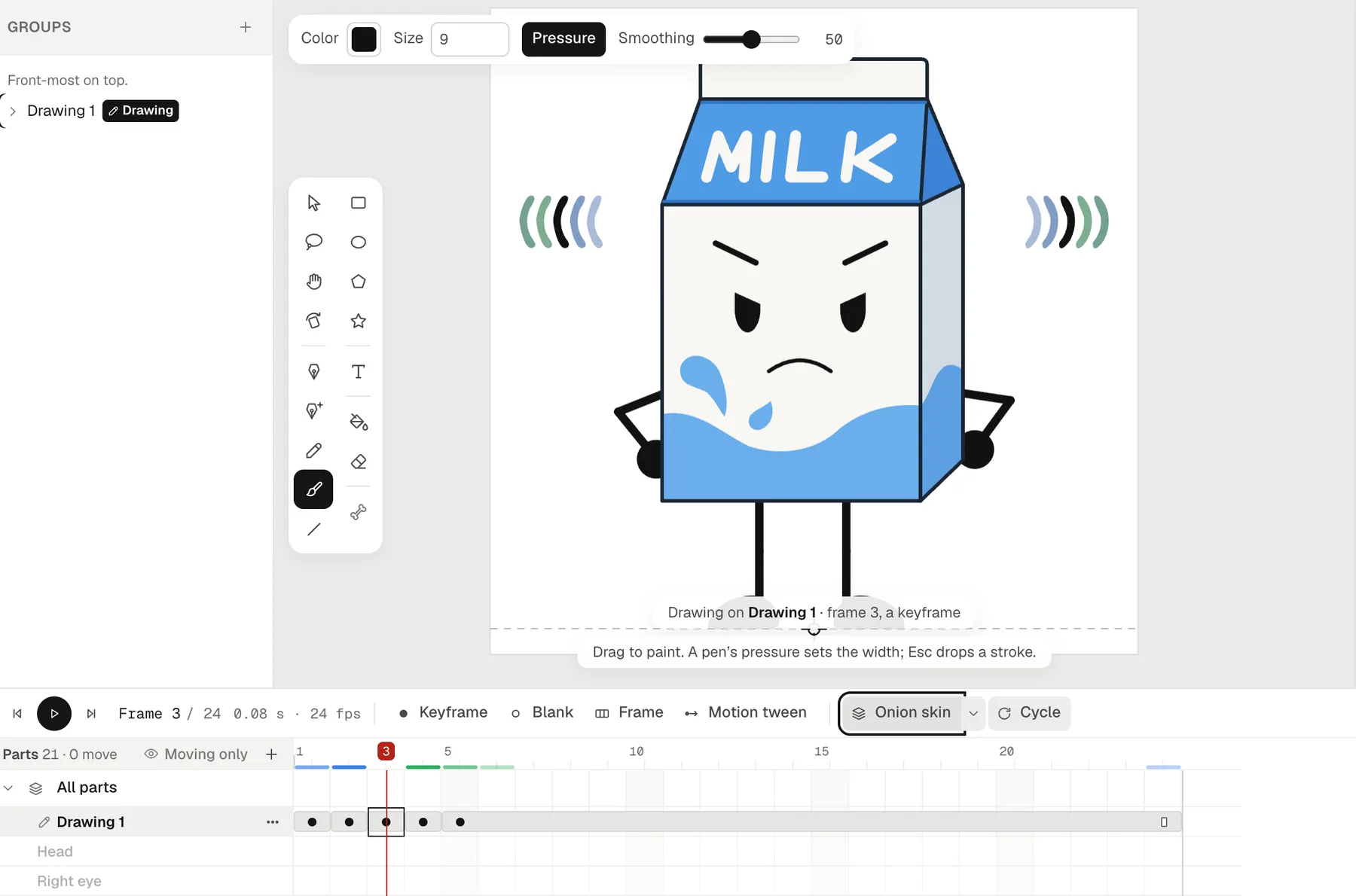
- Animperia: a 2D animation studio that runs in a desktop browser on Windows, Mac or Linux; we test it in Google Chrome. It has both ways of animating: drawing layers for frame-by-frame work with a pressure-sensitive brush and onion skin, and characters rigged with bones and posed by their joints. There's a Flash-style timeline with motion tweens and easing, a camera, sound with lip sync from your voice lines, and export to MP4, GIF, PNG images and see-through video. Free during the beta. It needs an internet connection, isn't made for phones or tablets, and can't open other tools' project files.
Which one fits you?
| If you… | Worth trying |
|---|---|
| Want to draw frame by frame for free on a computer | Pencil2D, Krita, OpenToonz, Tahoma2D |
| Have an iPad and an Apple Pencil | Procreate Dreams, Clip Studio Paint |
| Only have a phone | FlipaClip |
| Want rigs and tweens for free | Synfig Studio, OpenToonz, Blender |
| Want a talking-character series | Moho, Cartoon Animator, Toon Boom Harmony, Animperia |
| Want to install nothing | Animperia |
| Already know 3D | Blender |
How to start 2D animation
Whatever you choose, the first month looks the same:
- A bouncing ball. It teaches timing, spacing and squash and stretch. The 12 principles of animation explain what to look for.
- A pendulum or a waving flag, for follow-through and arcs.
- Something on twos. Animating on twos shows how holding drawings for two frames halves the work.
- A walk cycle. It puts everything together. How to animate a walk cycle has the poses and timing.
- A short scene with a line of dialogue, the first step toward your own cartoon (how to make an animated series by yourself).
Keep each exercise short, watch it on loop, and fix one thing at a time. Learning to see what's wrong is the real skill, and it carries over to any software.
Questions from beginners
What's the easiest animation software?
For drawing frame by frame, small, focused tools such as Pencil2D and FlipaClip are quick to learn. For posing characters without drawing every frame, rig-based tools are easier with a mouse. "Easy" depends on what you want to make, so try a free option first.
Is free animation software good enough?
Yes. Blender, Krita, OpenToonz, Pencil2D, Synfig Studio and Tahoma2D are free and capable of finished work. Paid tools mostly save time on bigger projects.
Do I need a drawing tablet?
For frame-by-frame drawing, a tablet or a pen makes a big difference. For rigged animation, a mouse is fine.
Should I learn 2D or 3D first?
2D is quicker to start and teaches timing and posing directly. Everything you learn about the principles carries over to 3D later.
Blender, Krita, OpenToonz, Pencil2D, Synfig, Tahoma2D, FlipaClip, Procreate Dreams, Adobe Animate, Cartoon Animator, Clip Studio Paint, Moho and Toon Boom Harmony are trademarks of their owners. Animperia isn't affiliated with or endorsed by any of them.