Free 2D animation software in your browser
Updated
Animperia is a 2D animation studio that runs in your web browser, and it's free during the beta. There's nothing to download or install, and nothing you export carries a watermark. You do need an account, made with your email.
If you'd rather have software that's free for good, open source and works offline, there are good desktop tools for that too. This page covers both, plainly: what "free" means for Animperia today, and what each open-source tool is best at, so you can pick the one that fits what you want to make.
What "free" means in Animperia
As of 11 October 2026:
- Free during the beta. Everything in the studio is free while it's in beta. We haven't announced prices for after the beta. The terms say what the beta means: features come and change, we may change what the beta includes, limit it or end it, and when a change takes away something you use, we'll email you first whenever we can.
- No download. It runs in a browser tab on a Windows, Mac or Linux computer, and we test it in Google Chrome. It isn't made for phones or tablets.
- An account is needed. Sign up with your email. While the beta has room, we email you a link to set your password and you can start right away. When it's full, you go on the list and we email you when a place opens. Accounts are for people 13 and over.
- No watermark. Videos, GIFs and images come out exactly as your scenes look, with no logo, badge or end card added.
- Your work is yours. The terms say so, and you can download any project as one .animperia file to keep a copy or import it again.
What it isn't: it isn't open source, and it doesn't work offline. If the connection drops mid-edit, your changes wait in the browser and save when it's back.
What you get
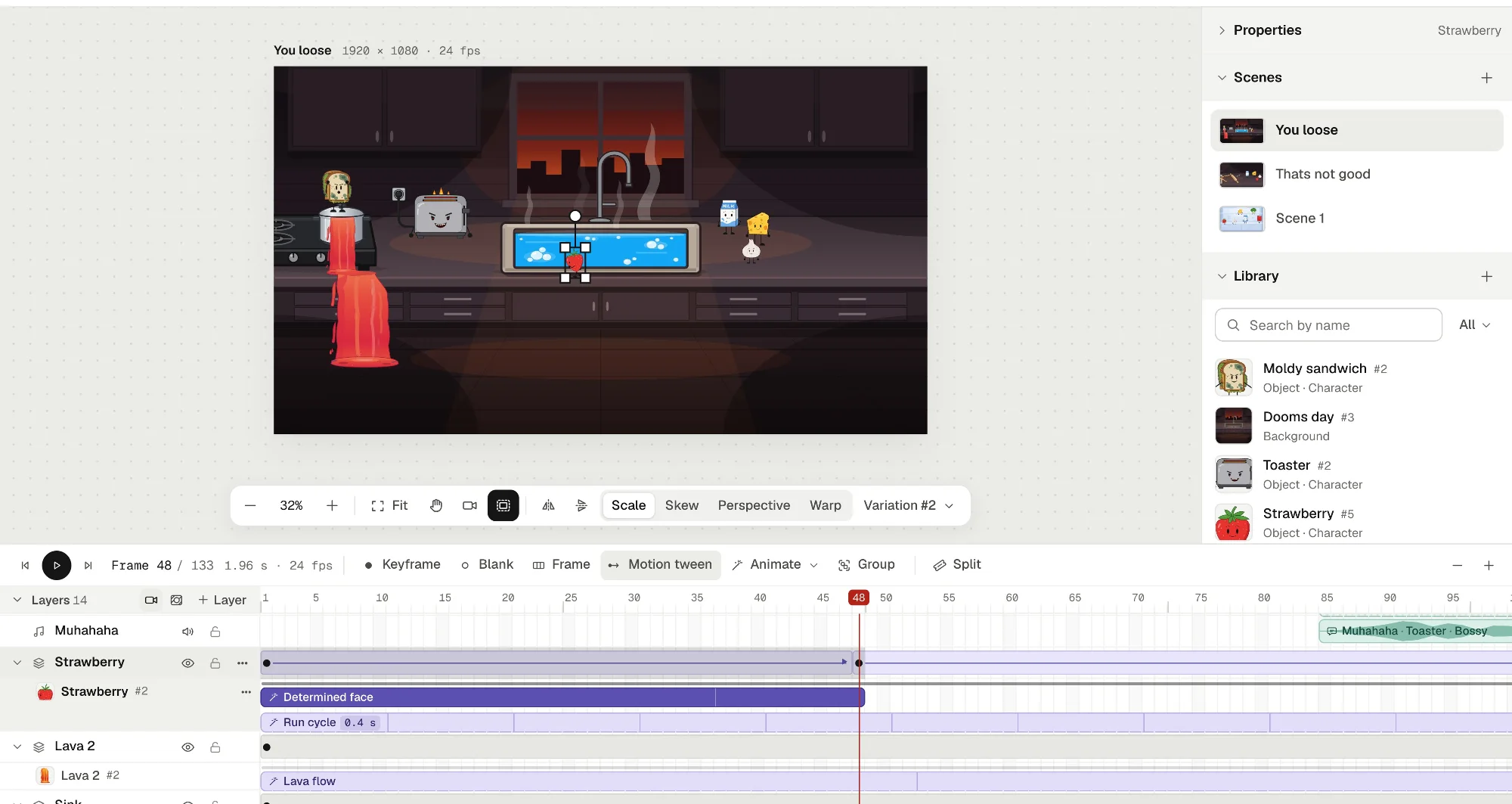
Animperia is built for cartoons with characters: you draw them, rig them and make them move and talk, on a timeline in the style of Flash and Adobe Animate.
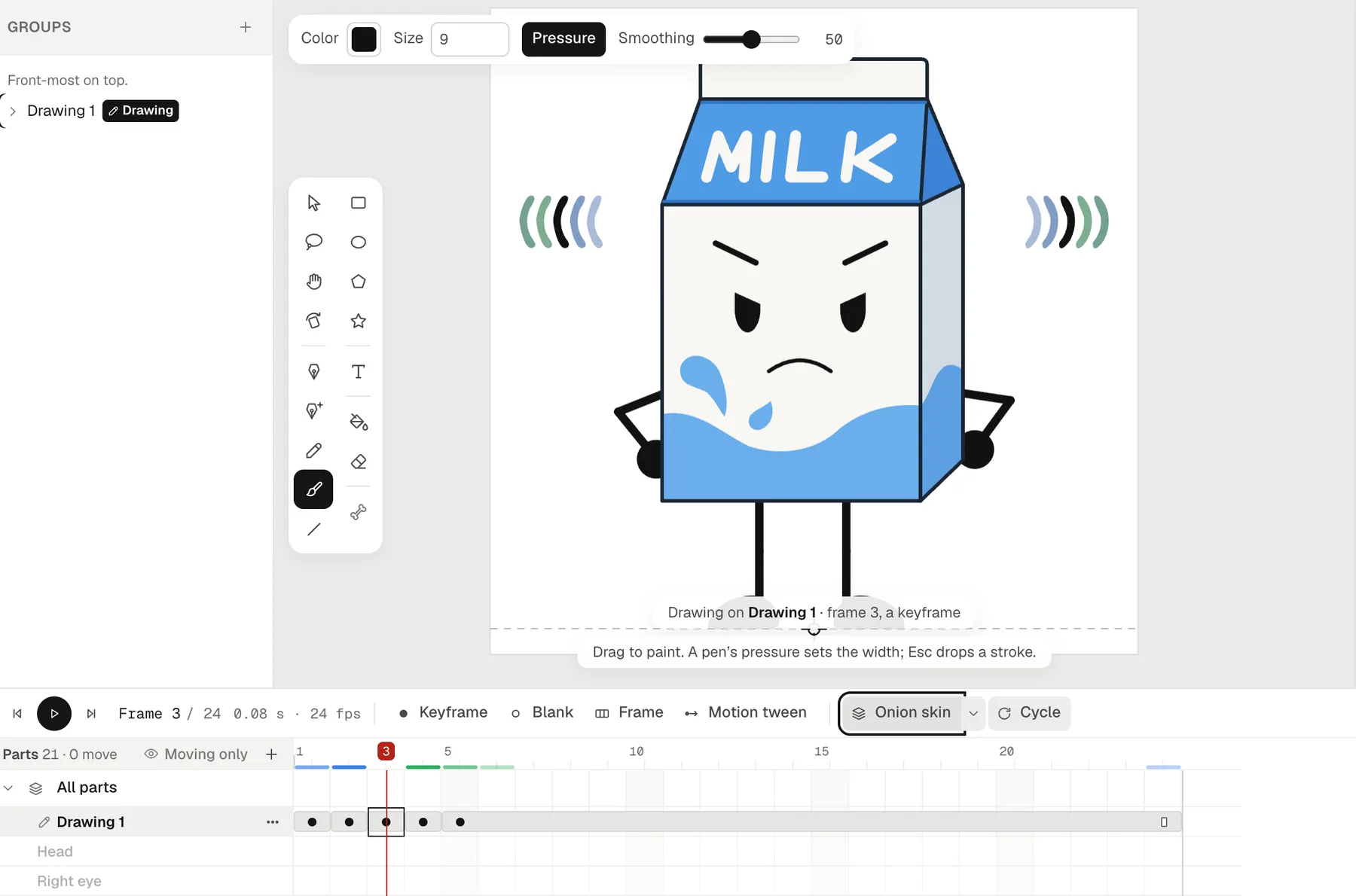
- Drawing: a pen, a pencil, a pressure-sensitive brush, shapes, text, a fill bucket, an eraser and a lasso. Characters and props are vector drawings, and SVG files come in from other apps.
- Rigging: a Bone tool joins parts where they turn, and Pivots lets you pose a character by dragging a wrist or an ankle.
- Animating: layers, keyframes (F5, F6, F7), motion tweens with easing, shape tweens, frame-by-frame drawing with onion skin, groups that play like movie clips, masks and a camera.
- Sound: music and sound effects on the timeline, and lip sync: drop a voice recording on a character and its mouth follows the words.
- Exports: MP4 at 720p or 1080p, a green-screen MP4, see-through MOV and WebM, GIFs, and PNG images. See transparent backgrounds and cartoon GIFs for how they work.
Free, open-source desktop tools
These are free to download and use, with their source code open. All of them run offline once installed. Versions are as of 11 October 2026, from each project's site or its releases on GitHub.
| Tool | Best for | Runs on | Latest version |
|---|---|---|---|
| Pencil2D | Simple hand-drawn, frame-by-frame animation, raster or vector | Windows, macOS, Linux, FreeBSD | 0.7.2, March 2026 |
| OpenToonz | A full traditional animation pipeline, from drawing to ink, paint and compositing | Windows, macOS | 1.8.0, June 2026 (GitHub) |
| Synfig Studio | Vector animation with tweening and bones, without drawing every frame | Windows, macOS, Linux | 1.5.5, March 2026 |
| Krita | Painted, frame-by-frame animation in a full painting program | Windows, macOS, Linux, Android | 5.3.4 and 6.0.4, September 2026 |
| Blender with Grease Pencil | 2D drawing and animation inside a 3D scene, and storyboards | Windows, macOS (Apple silicon), Linux | 5.2.2 LTS, September 2026 |
Pencil2D
Pencil2D calls itself "an easy, intuitive tool to make 2D hand-drawn animations", and it switches between raster and vector drawing (Pencil2D). It's the gentlest start if you want to draw every frame by hand, flipbook style.
OpenToonz
OpenToonz is the open-source version of Toonz, the software Studio Ghibli has used for ink and paint, color design and digital compositing (OpenToonz). It's powerful and built for production work, with a learning curve to match.
Synfig Studio
Synfig is free, open-source 2D animation software for vector and bitmap artwork, with a full bone system, made so you don't have to draw each frame by hand (Synfig). If you want rigged, tweened characters on your own computer, start here.
Krita
Krita is a free, open-source painting program with animation tools (Krita). Pick it if you love painting and want textured, hand-painted frames.
Blender with Grease Pencil
Grease Pencil draws 2D strokes inside Blender's 3D scenes, with onion skinning, for traditional or cut-out animation, motion graphics and storyboards (Blender). It's the one to learn if you want to mix 2D and 3D.
Which one should you use?
| If you want… | Try |
|---|---|
| Nothing to install, your work saved online, and a timeline with rigs, tweens and lip sync | Animperia |
| To work offline, with software that's free for good | Any of the open-source tools above |
| To draw every frame by hand, simply | Pencil2D |
| Painted, textured frames | Krita |
| Rigged vector characters on your own computer | Synfig Studio |
| A studio-style ink-and-paint pipeline | OpenToonz |
| 2D and 3D together | Blender with Grease Pencil |
Many animators use more than one. You can draw a character in another app, save it as SVG, and bring it into Animperia to rig and animate it.
How to start in Animperia
- Sign up for the beta with your email, then open the link on a computer.
- On the projects page, name a project and pick its canvas (landscape, portrait or square) and frame rate.
- Draw a character in the drawing editor, or import an SVG. Give it parts so you can pose it.
- Animate it on the timeline: keyframes, tweens, a camera, and a voice line for lip sync.
- Click Export and download the video, with no watermark.
For a closer look at how it compares to template video makers, see what kind of animation maker Animperia is.
Questions
Will Animperia stay free?
We can't promise that. It's free during the beta, and we haven't announced prices for after it. If free for good matters most to you, the open-source tools above are free for good.
Can I use it without signing up?
No. You need an account to save your projects. It takes an email address and a password.
Do exports have a watermark?
No. Animperia adds nothing to your videos, GIFs or images.
Does it work offline?
No. It needs an internet connection. A dropped connection doesn't lose your changes: they save when it's back.
Is it a good choice for a beginner?
If you want to make characters move and talk without drawing every frame, yes: you pose characters by their joints, and tweens fill in the frames between your poses. If you mainly want to sketch, Pencil2D or Krita are simpler places to start.
Adobe is either a registered trademark or a trademark of Adobe in the United States and/or other countries. Animperia isn't affiliated with or endorsed by Pencil2D, OpenToonz, Synfig, Krita, Blender, Studio Ghibli or Adobe.